Skip to content

Work your leads

Every lead, worked from one record

Contacts, the Inbox, the Dialer and Smart Plans share one record per person. A text, a call and a plan step all land on the same timeline.

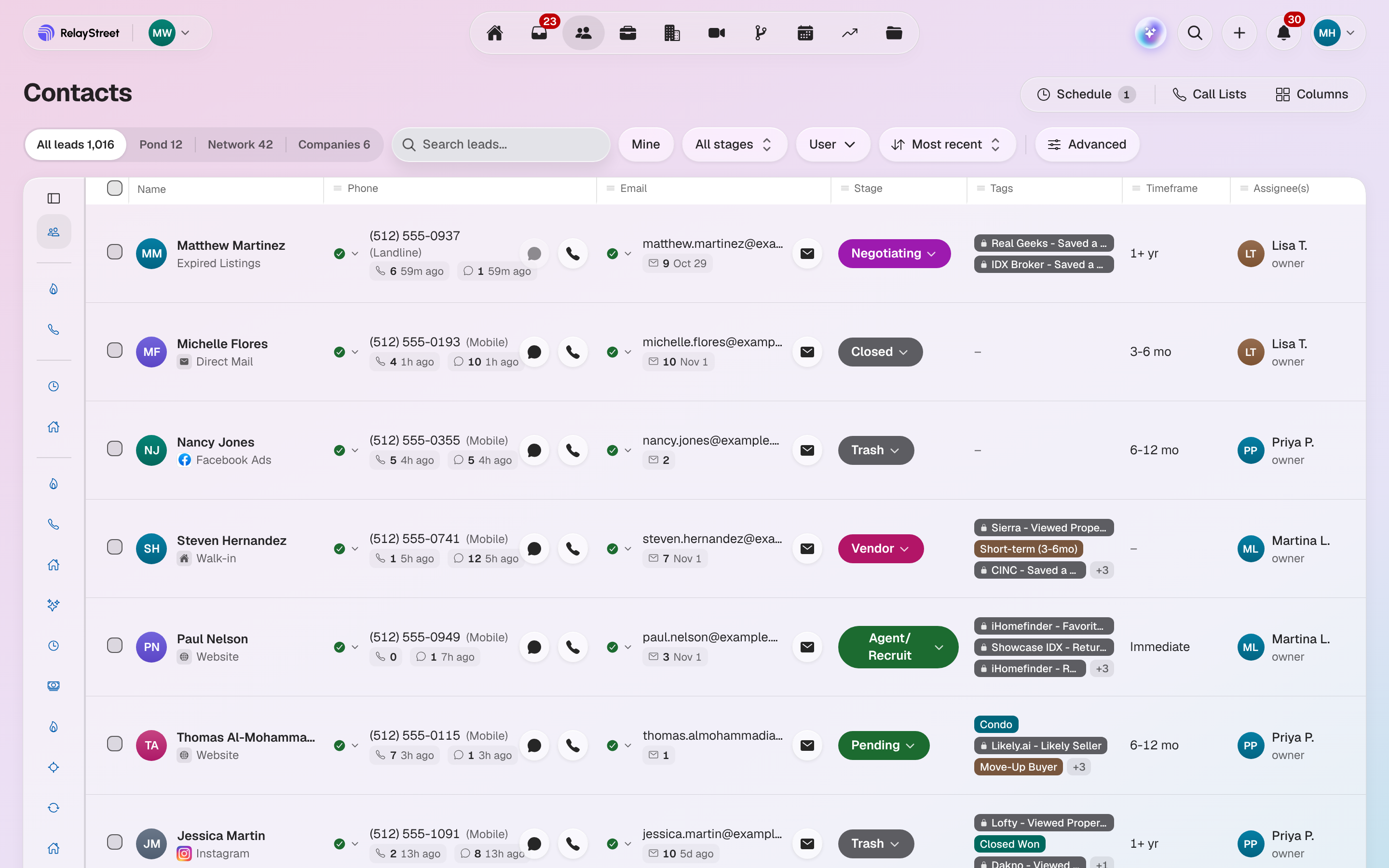
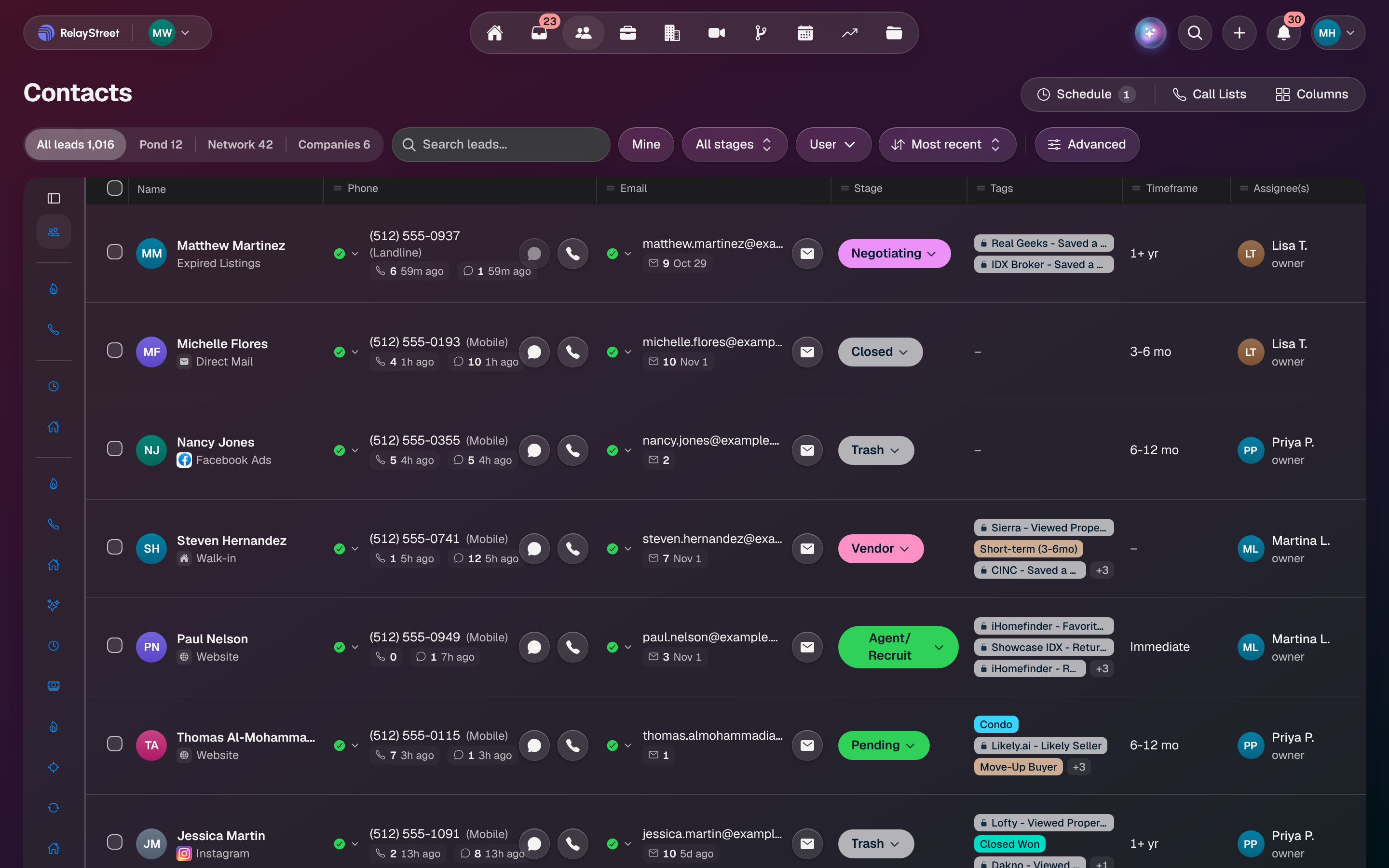
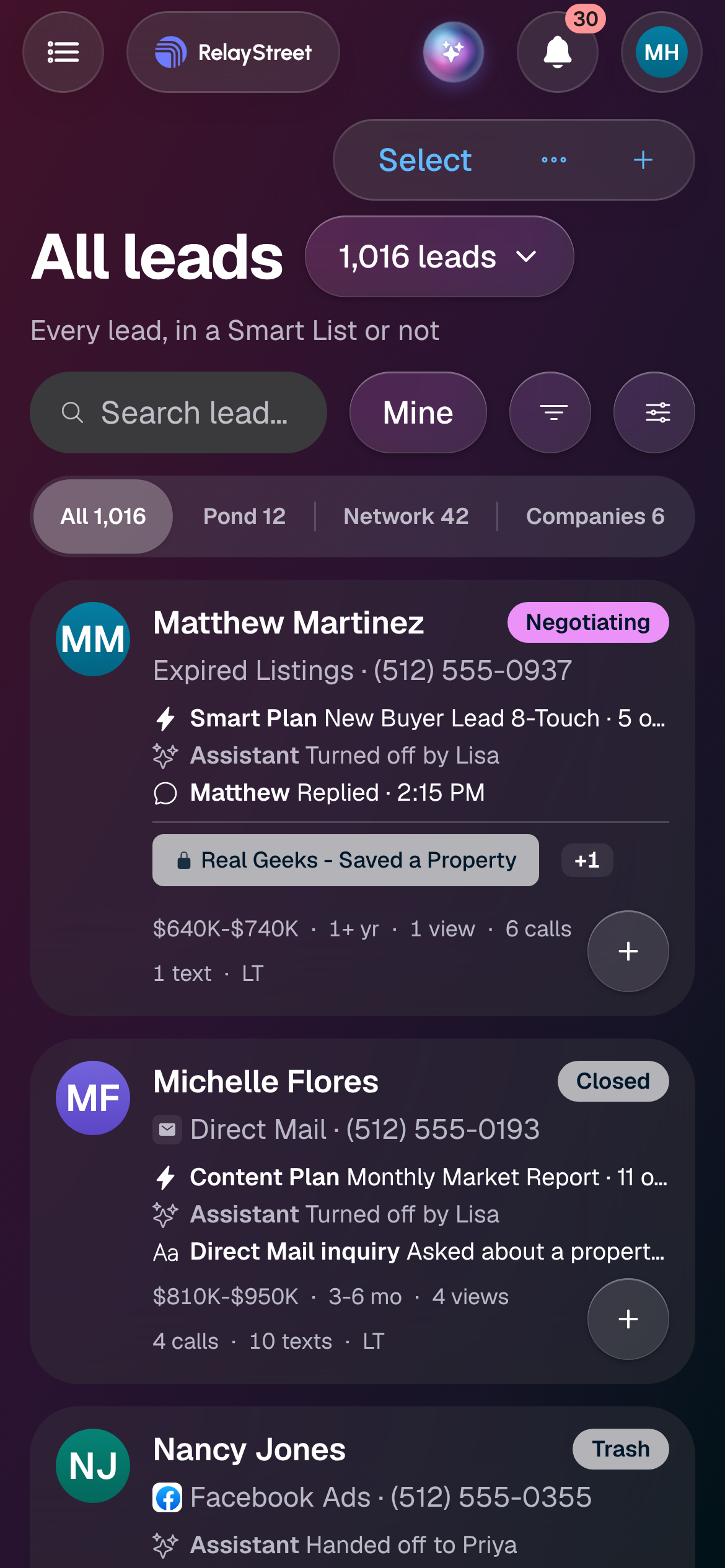
The contacts list, with Smart Lists down the side and each lead’s stage, source and last activity.
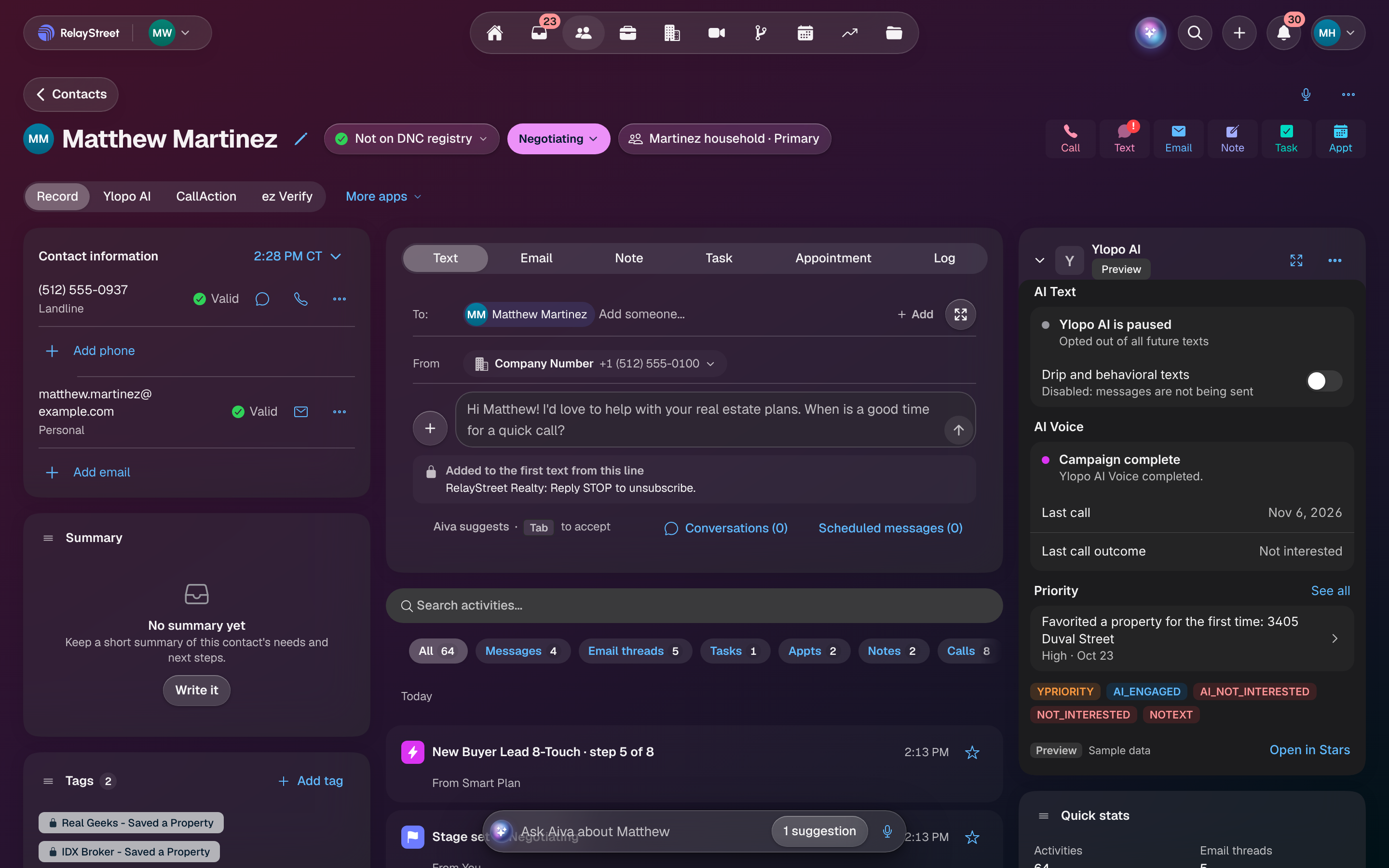
A contact record, with the lead’s details, the full timeline of calls, texts and emails, and their deals.

Contacts

Every person you work, in one list

Leads, the shared Pond, your Network of lenders and inspectors, and their Companies sit on one page. Save any filter as a Smart List and pin it where you start the day.

  • Smart Lists from any filter, pinned to the sidebar or marked for Today’s Priorities
  • An Advanced filter over stage, last contacted, next follow-up, source, tags and Smart Plans
  • Bulk text and email that splits who can receive it from who can’t, with the reason beside each person
  • A possible duplicate caught while you add someone, with Open existing or Save anyway
Explore Contacts
Contacts list, Advanced filter openWeb 1440 × 900

Contact record

The whole relationship on one timeline

Every call, text, email, task, appointment, note and site visit, grouped by day. The lead’s own local time sits on the record and moves with the clock.
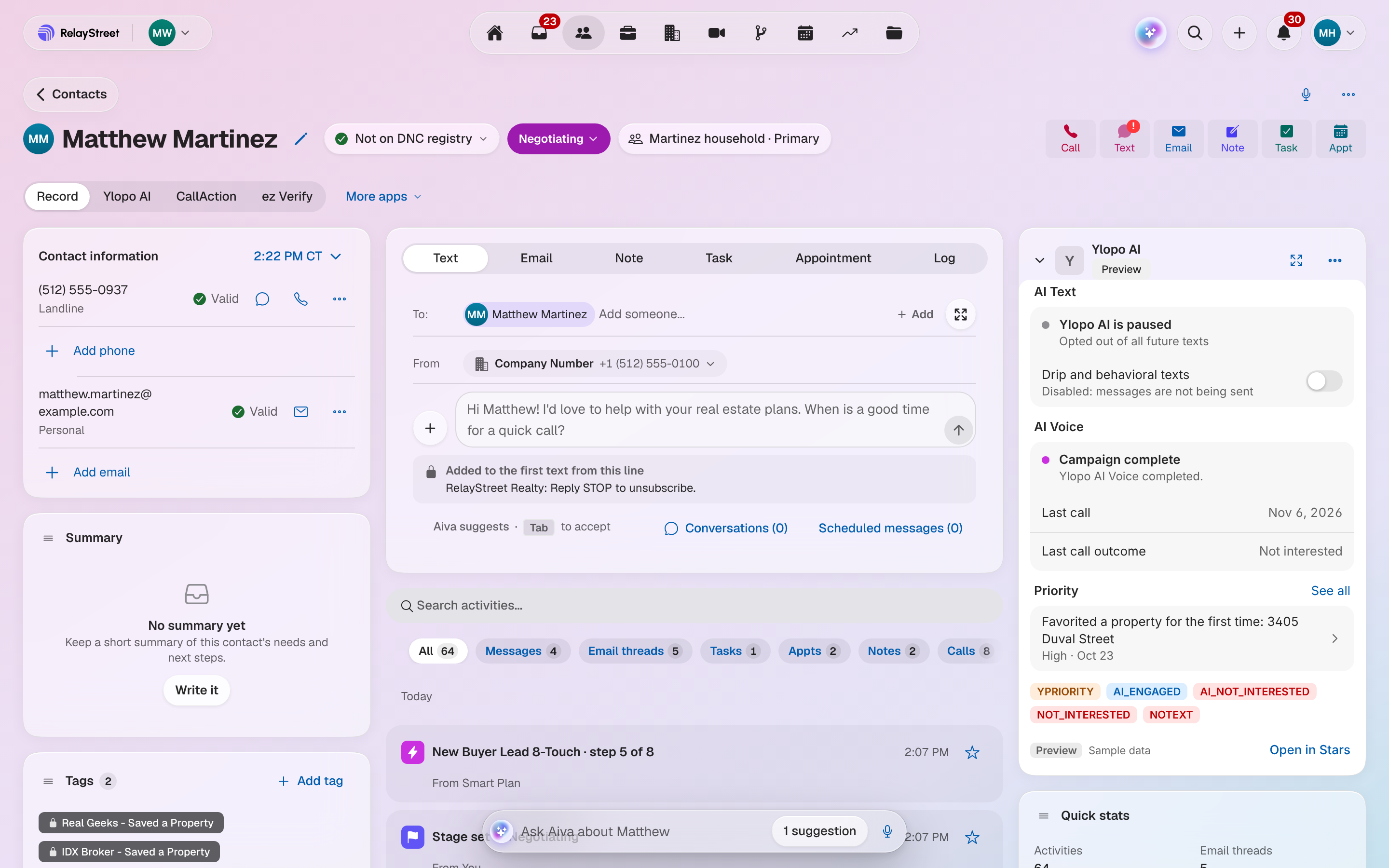
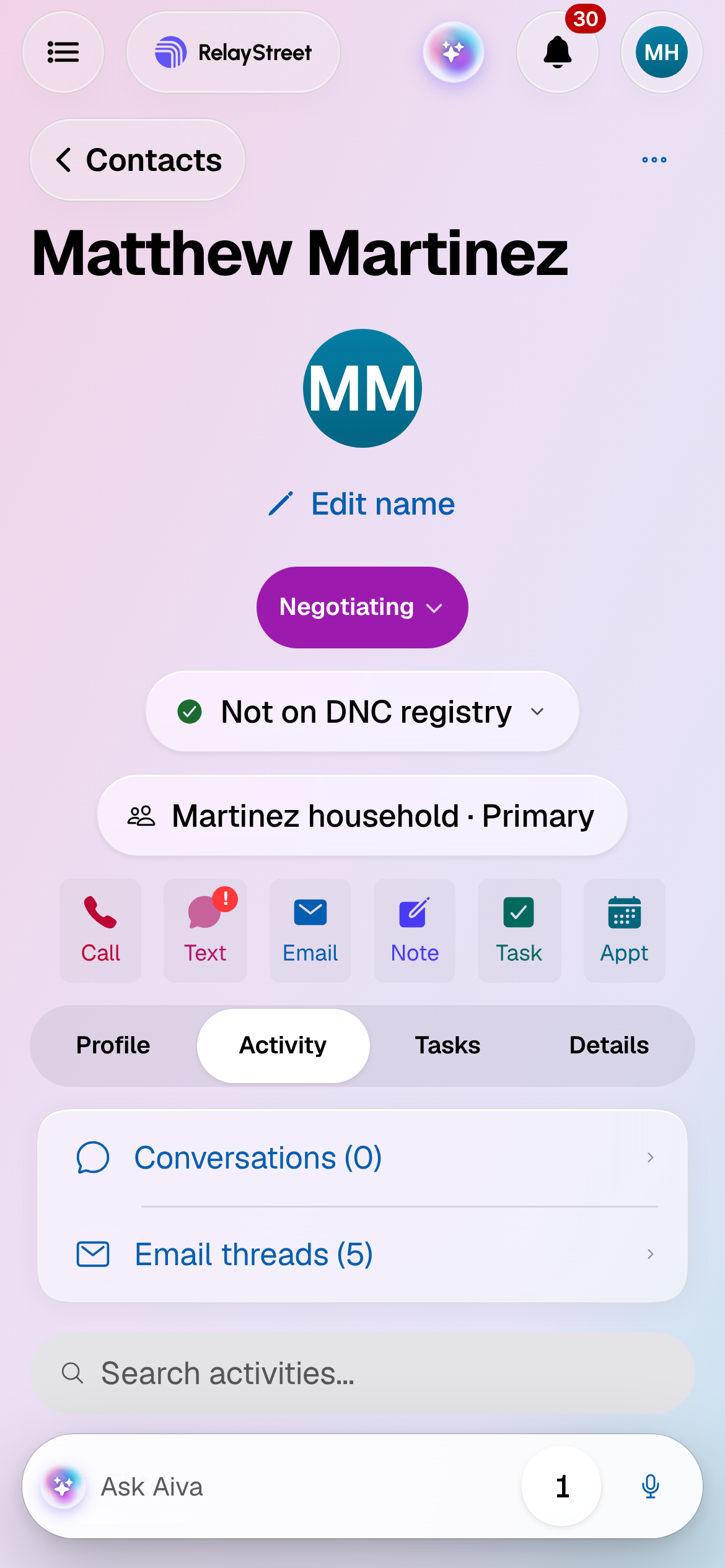
  • Filter the timeline to messages, calls, tasks, appointments, notes or web visits
  • Type “Buyer consultation Thursday 3pm at 444 Lake View” and the appointment fills itself in
  • Households, buying groups and co-buyers linked to each other
  • The properties they viewed, toured or made an offer on
Explore Contacts
A contact record, with the lead’s details, the full timeline of calls, texts and emails, and their deals.

Inbox

One conversation per person

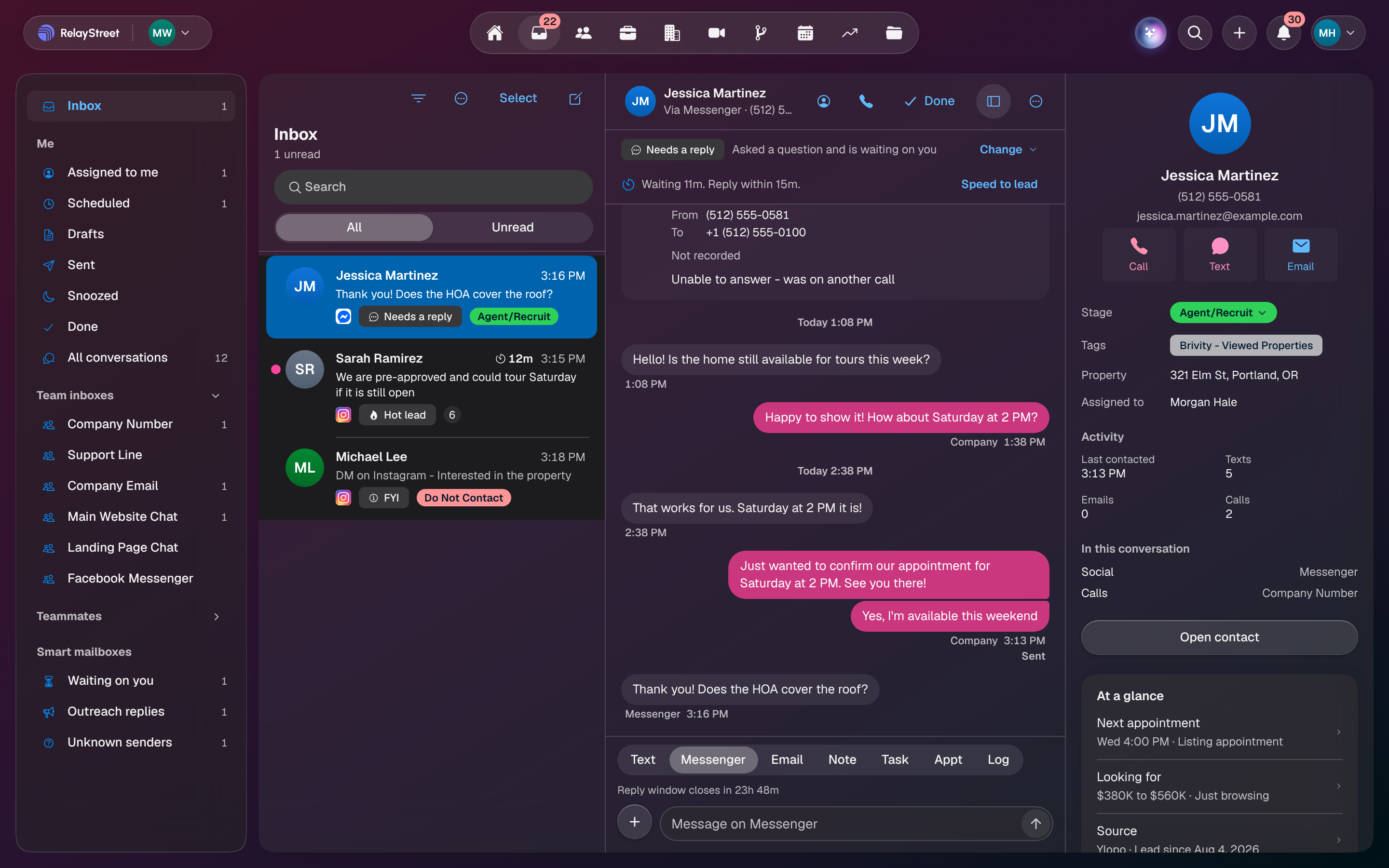
Texts, emails, calls and voicemails with one person merge into one thread. Aiva sorts what needs a reply to the top, and every row shows how long they’ve waited.
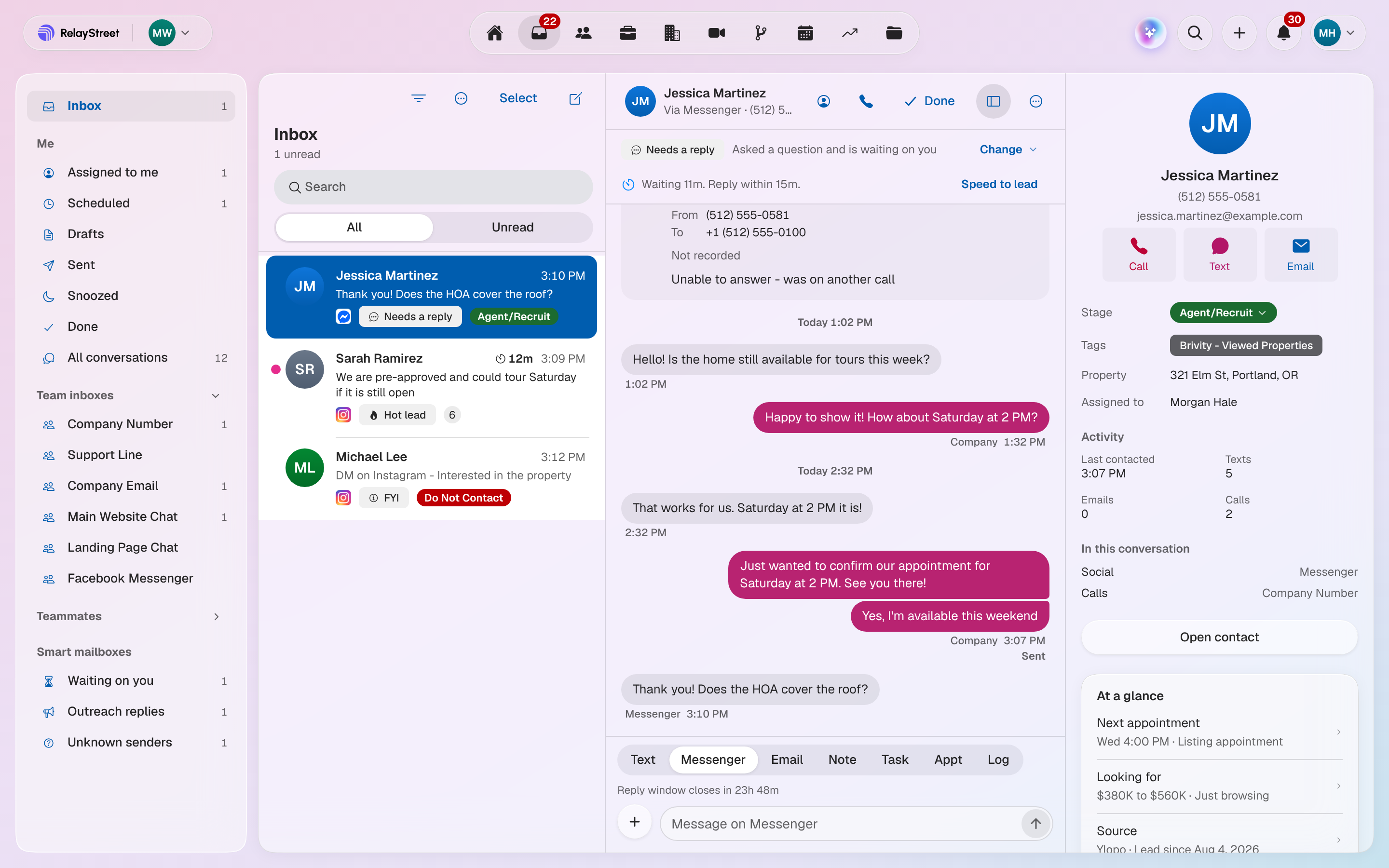
  • Sorted by Aiva into Needs a reply, Hot lead, FYI and Spam, with a one-line reason you can correct
  • Reply due soon and Overdue on every row, against the response targets your team sets
  • Send later in a morning, afternoon or evening window, in their time zone
  • Group texts with up to 10 people
Explore the Inbox
    The Inbox, with a list of conversations and one thread of texts, emails and calls with a lead.

    Dialer

    Work a call list without leaving the record

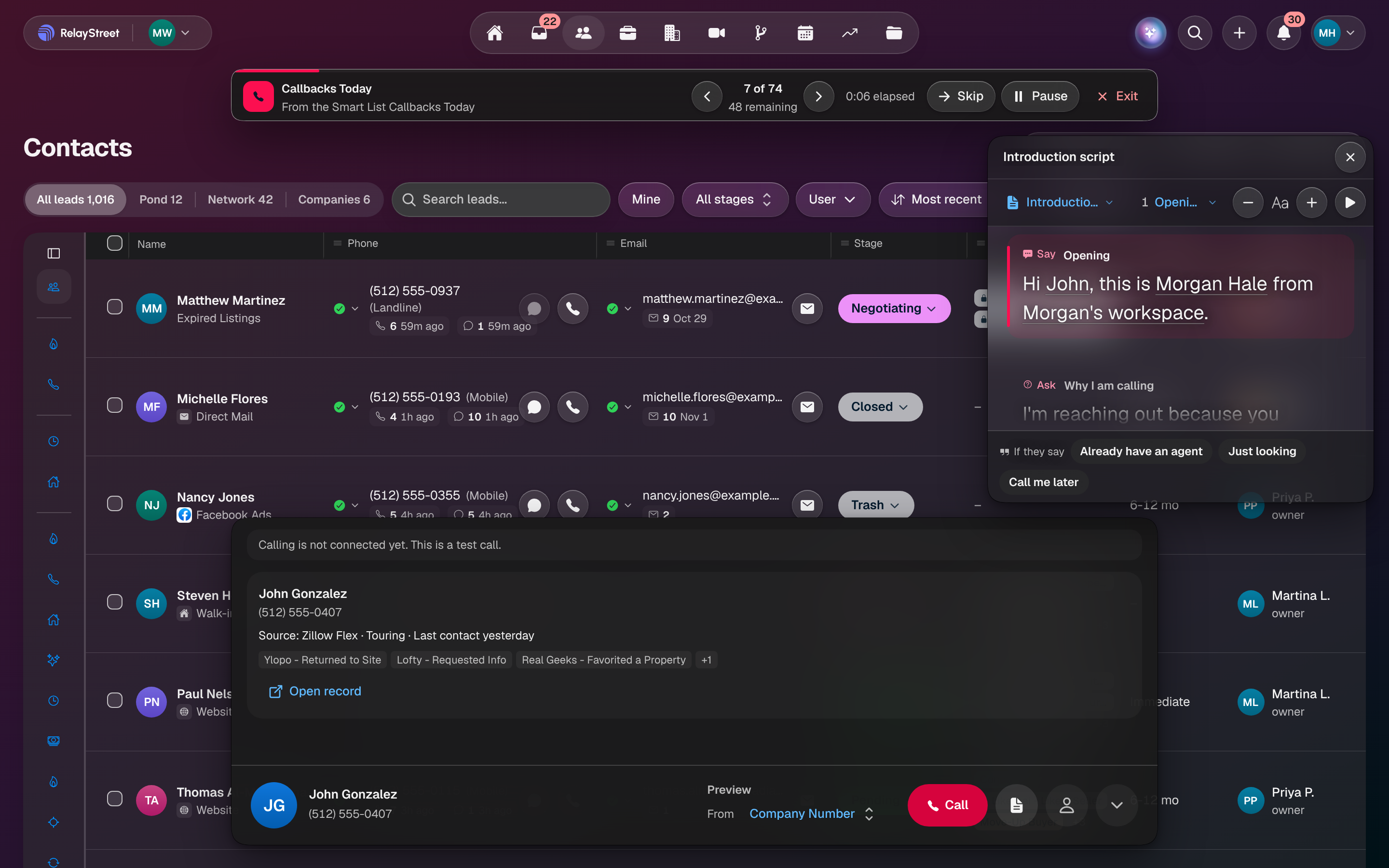
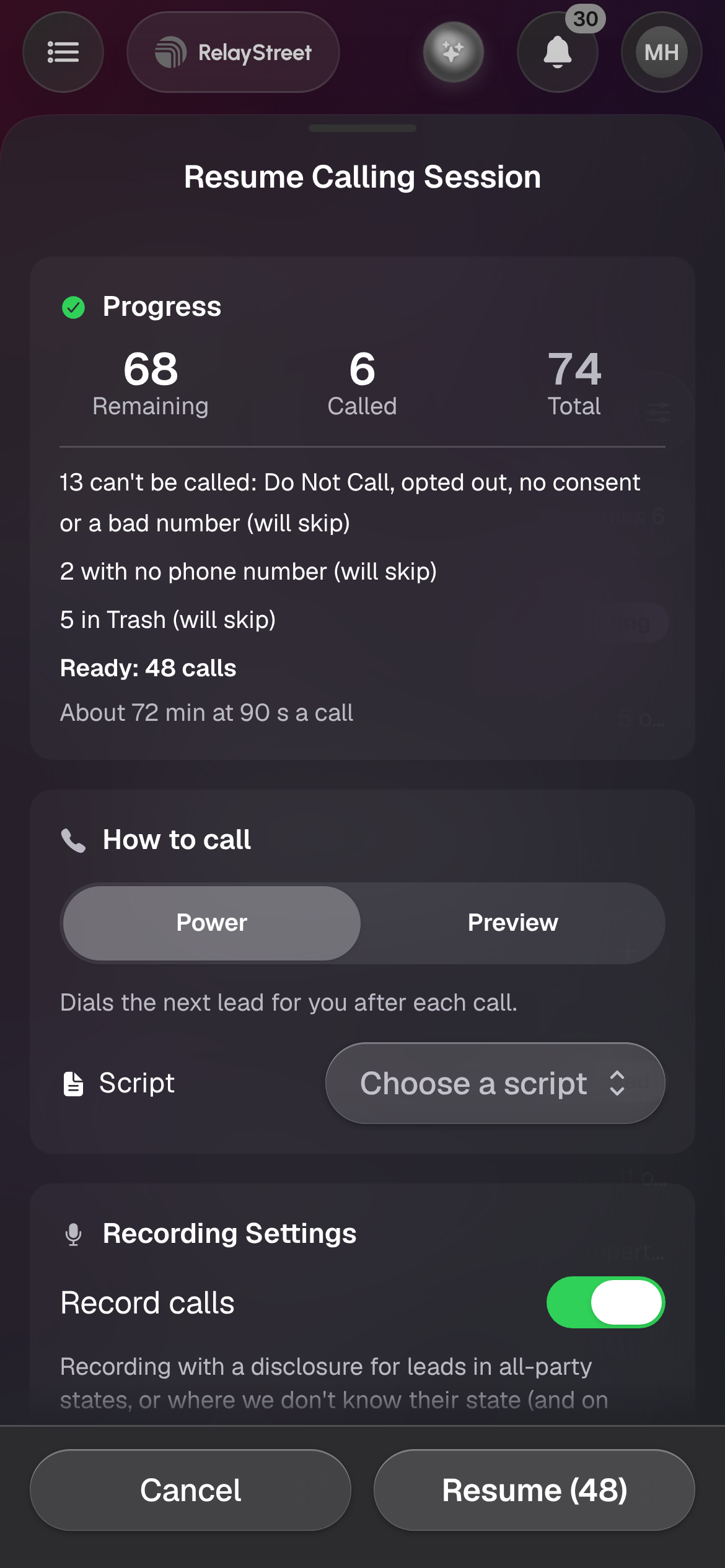
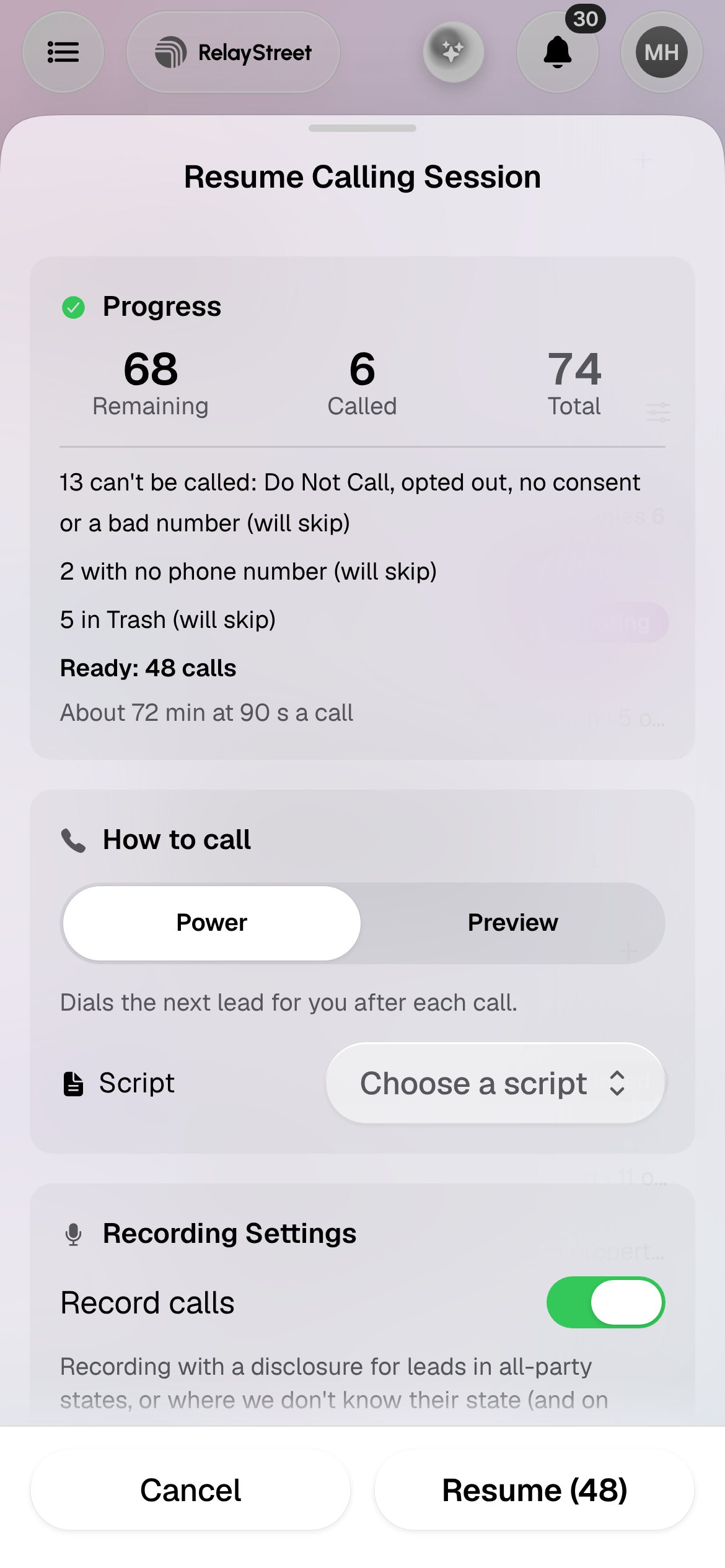
    One dialer follows you from page to page. Start a session and Power mode dials the next lead after a short countdown, while Preview shows you each one first.
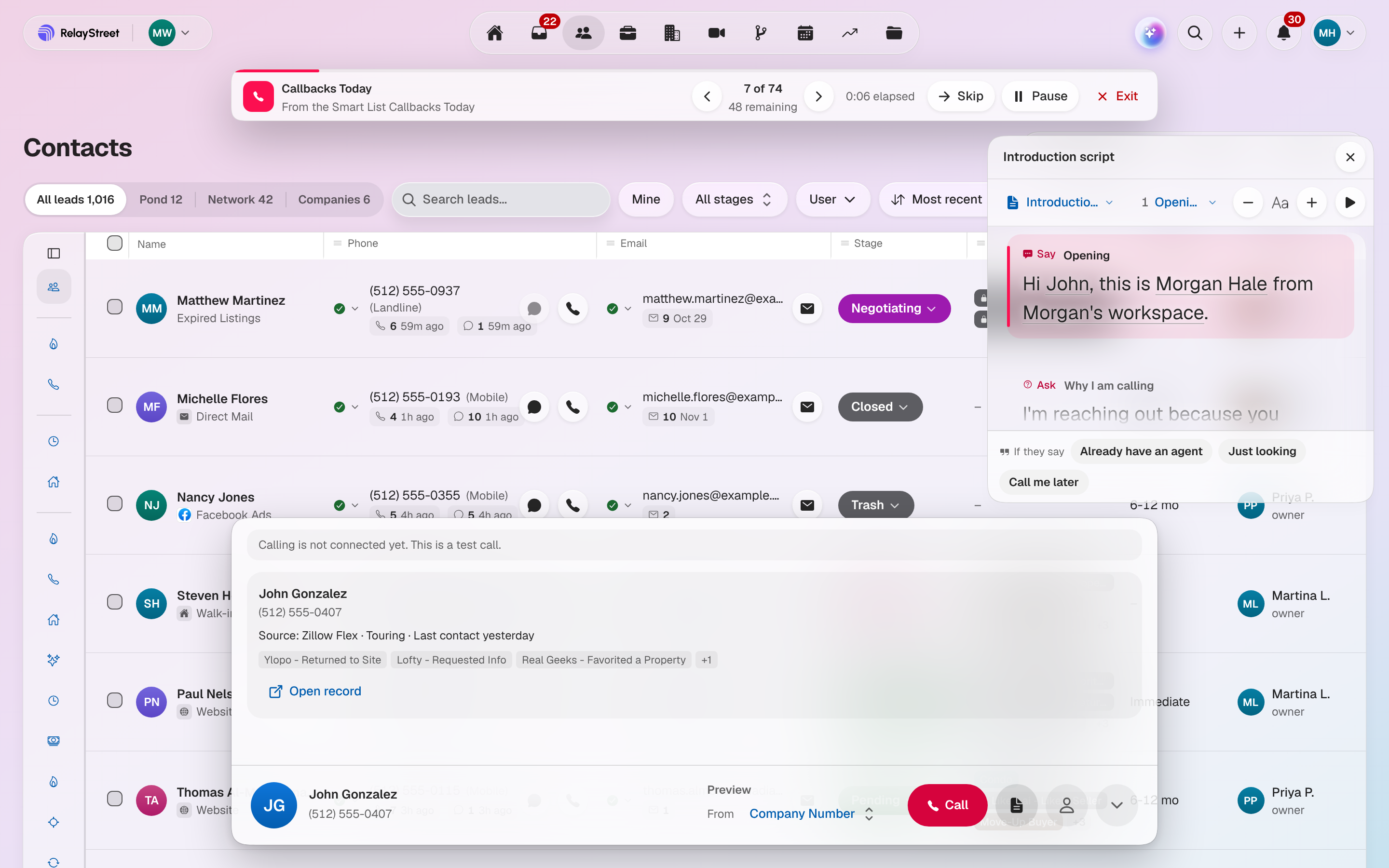
    • A check before every session that skips Do Not Call leads, missing numbers and Trash
    • Your call script beside the live call, with the lead’s name, address and stage filled in
    • One tap to log how it went, with a call-back task or an appointment made for you
    • Keys for all of it on desktop: Enter calls, M mutes, 1 to 9 logs the outcome
    Explore the Dialer
    A dialer session, calling down a list, with the call script beside the lead’s details.

    Smart Plans

    Follow-up that stops when they answer

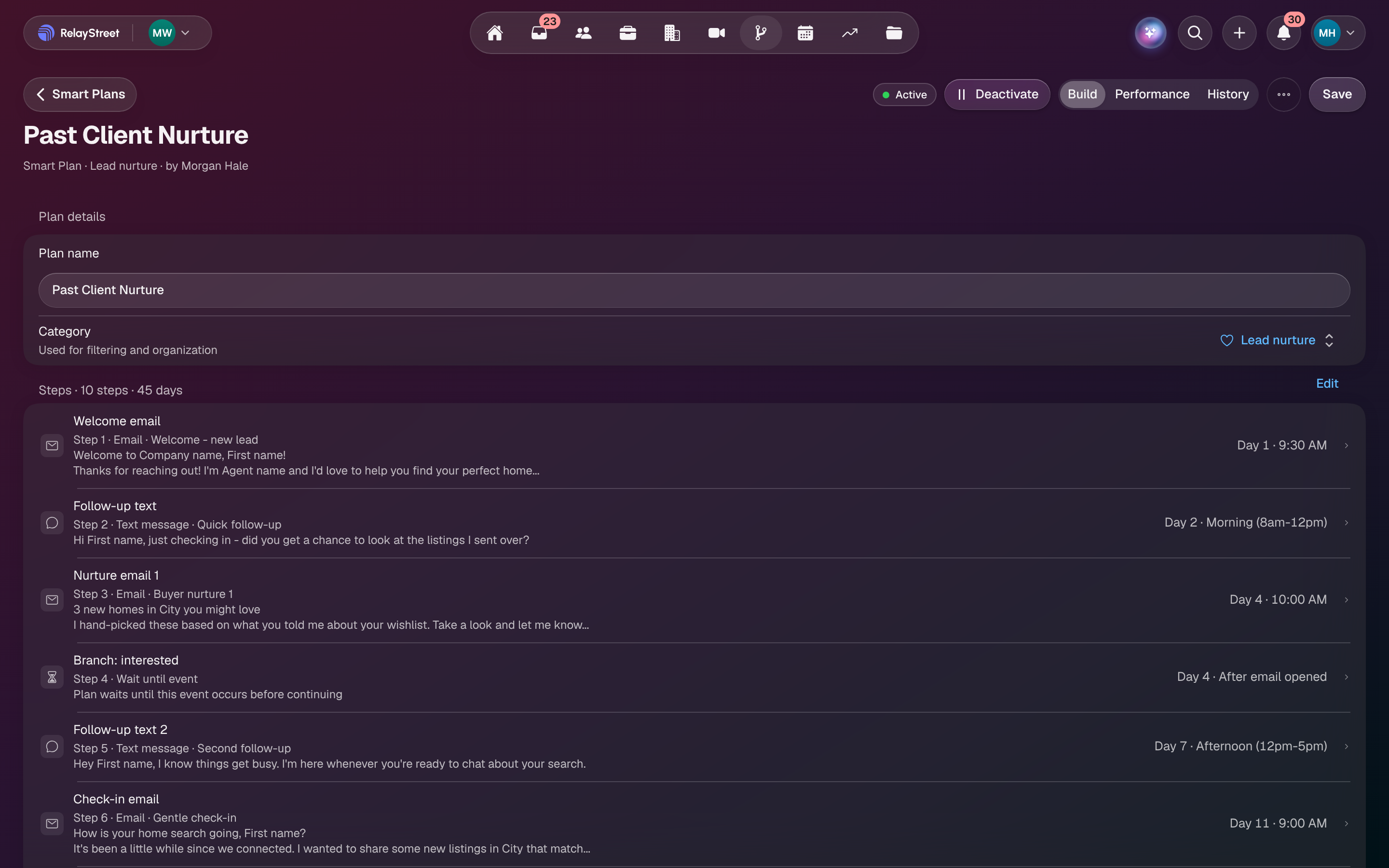
    A Smart Plan is the steps you write, on the schedule you set: texts, emails, call tasks and custom tasks. It pauses when the lead replies, or when Aiva takes over the conversation.
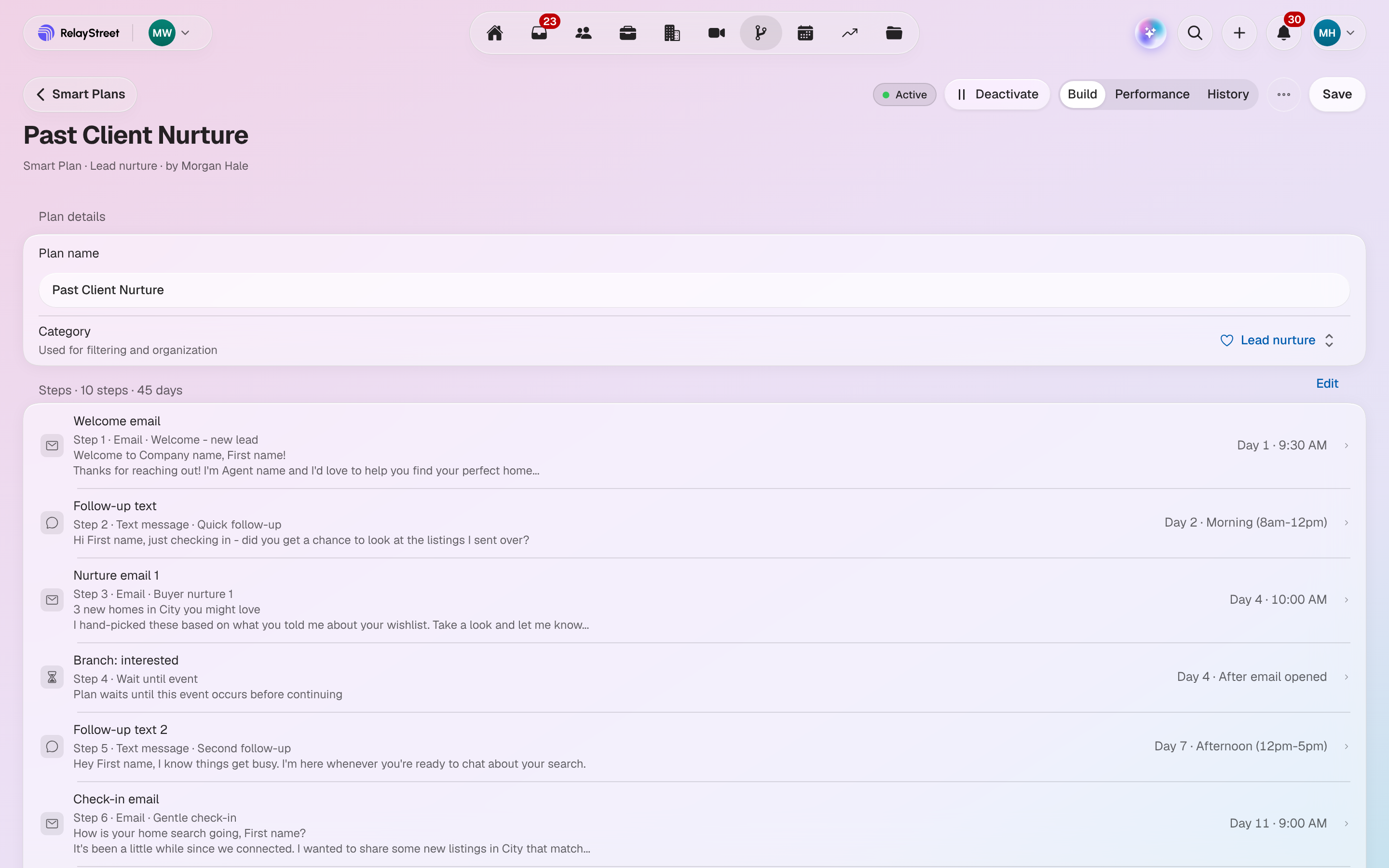
    • Nine step types, each timed by day and by morning, afternoon or evening
    • Steps that wait until an email is opened, the lead replies or a property is viewed
    • Call tasks for whoever owns the lead, the next agent in a round robin or the team leader
    • Results for every step, with the weakest one marked Needs work
    Explore Smart Plans
    The Smart Plan builder, with a plan’s texts, emails, calls and waits laid out step by step.

    On your phone

    Follow up from the car

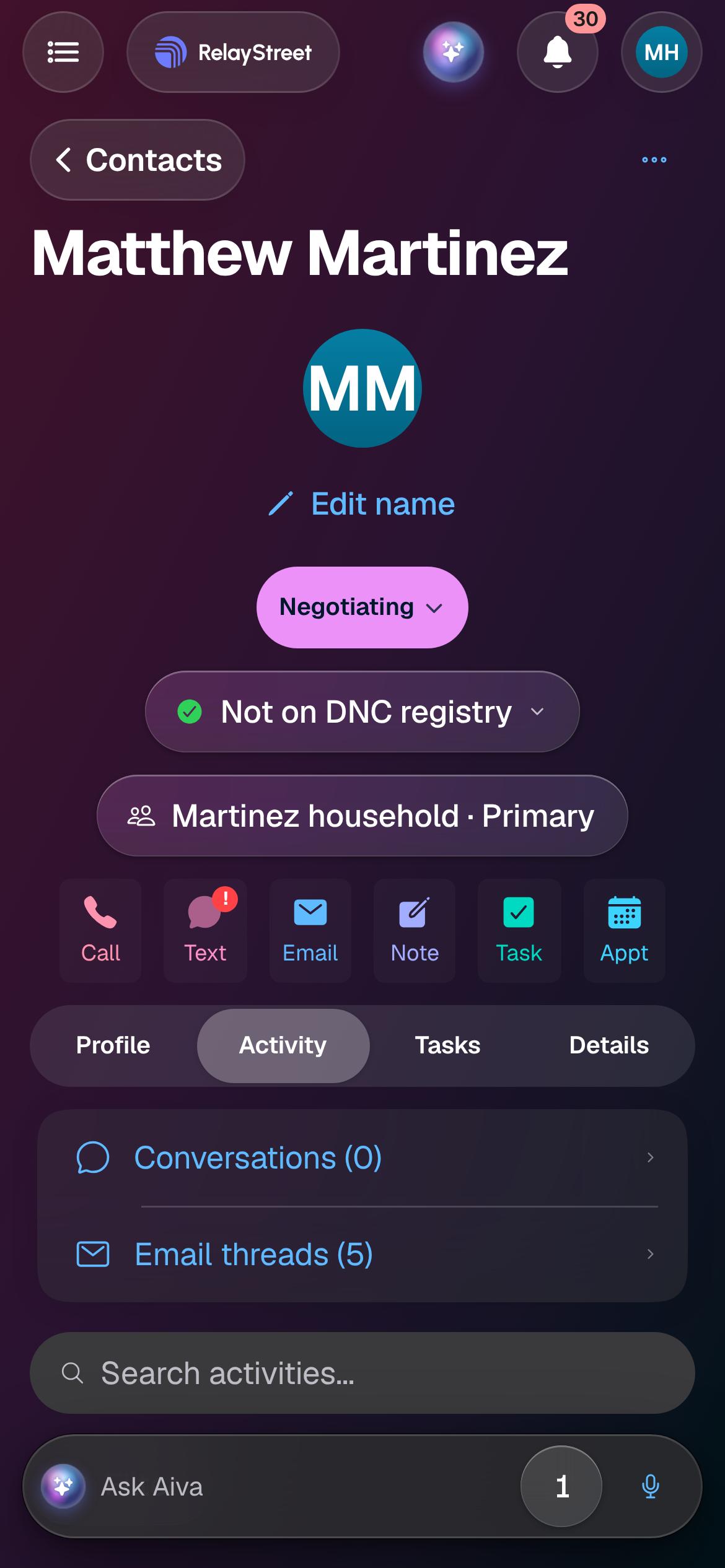
    The iPhone app opens on Today, with Inbox, Contacts and Schedule a tap away. During a call, the call bar sits above the tabs so the lead’s record stays in view.
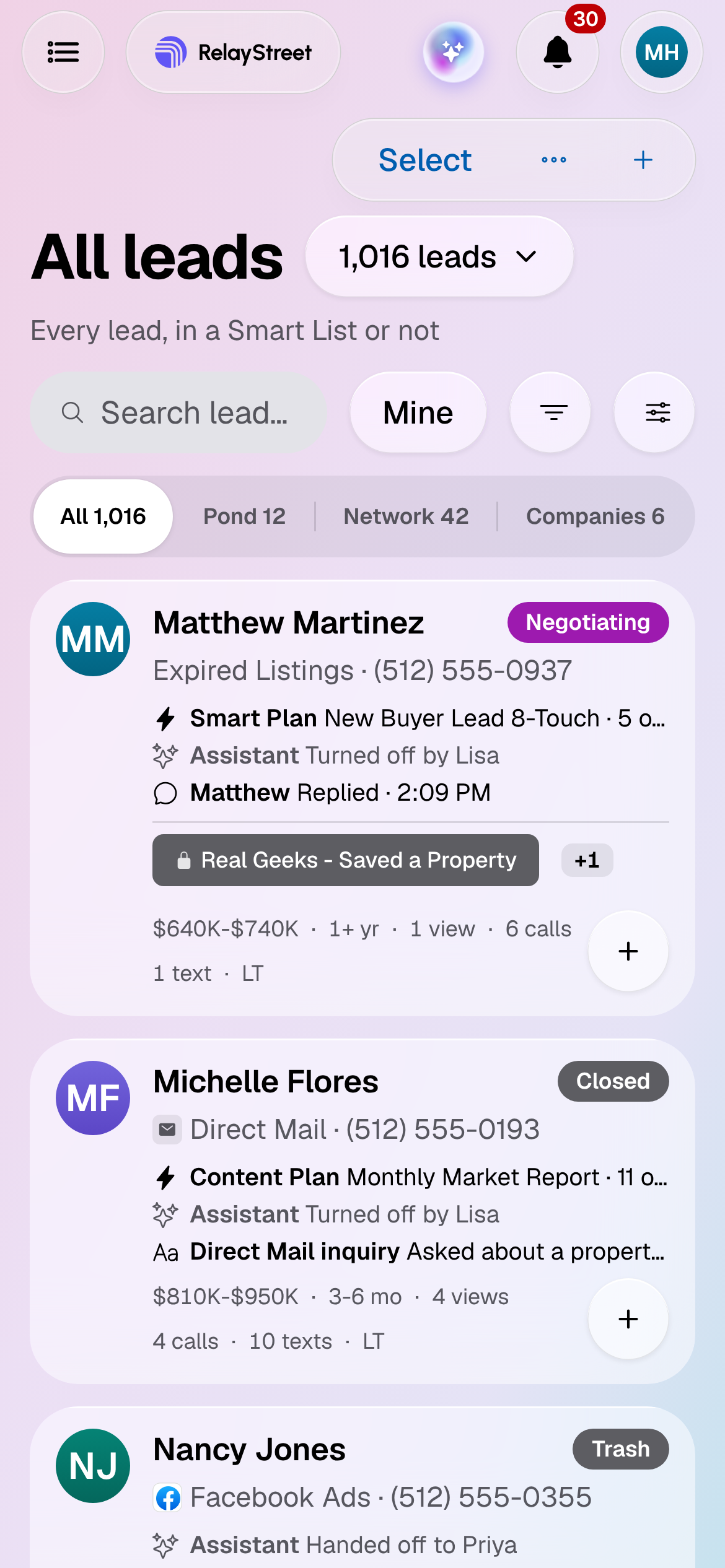
    • Swipe left on a lead to call, text or email. A full swipe calls
    • Your script under the call bar, one line at a time, while you talk
    • Recent calls with missed calls and voicemail
    • Set yourself Available, Busy or Offline, and calls ring on your phone and on the web
    See the apps
    Contacts, swipe actionsiPhone 393 × 852
    A dialer session, calling down a list, with the call script beside the lead’s details.
    The contacts list, with Smart Lists down the side and each lead’s stage, source and last activity.

    The rest of RelayStreet

    Run your deals

    Every deal, from signed to closed

    Pipeline · Deadlines · Commission · Closing · Coordinators · Properties · Schedule · Files

    Run your deals

    Market yourself

    Market every property from its own record

    Create · Social · Ads · Email · Design · Sites · Home tours · Leads

    Market yourself

    Lead your team

    See who needs you, and why

    Team · Speed to lead · Goals · Leaderboard · Coaching · Workflows · Routing · Roles

    Lead your team

    Get in early. Bring your database when you do.

    Join the waitlist today. When your invite comes, import your contacts, check them first, and undo it for 30 days.