Skip to content

Lead your team

See who needs you, and why

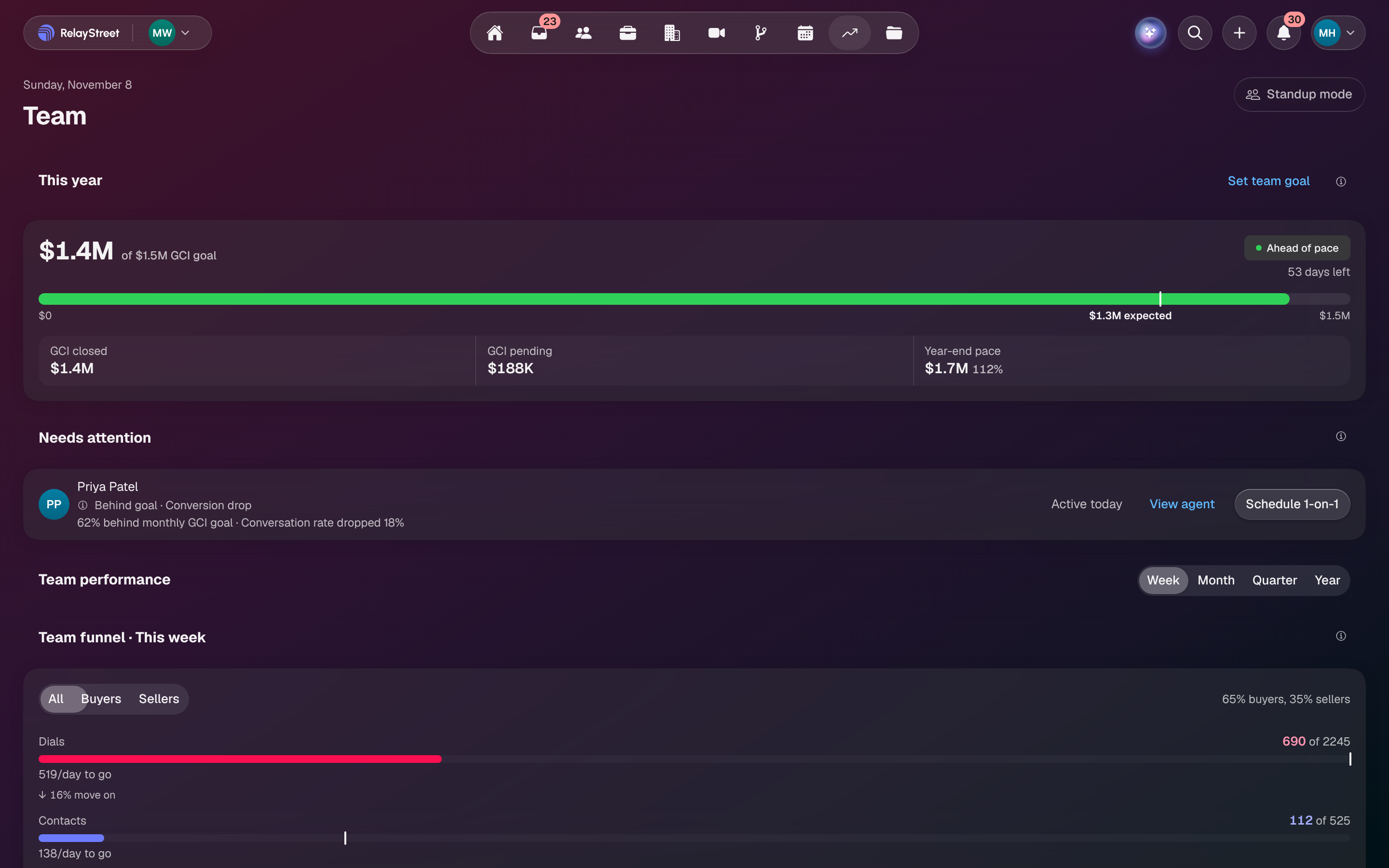
Performance turns one yearly GCI goal into the daily work behind it, shows the team’s pace against it, and flags who has gone quiet while there’s still time in the month.

The team’s Performance page, with each agent’s progress against their goals.
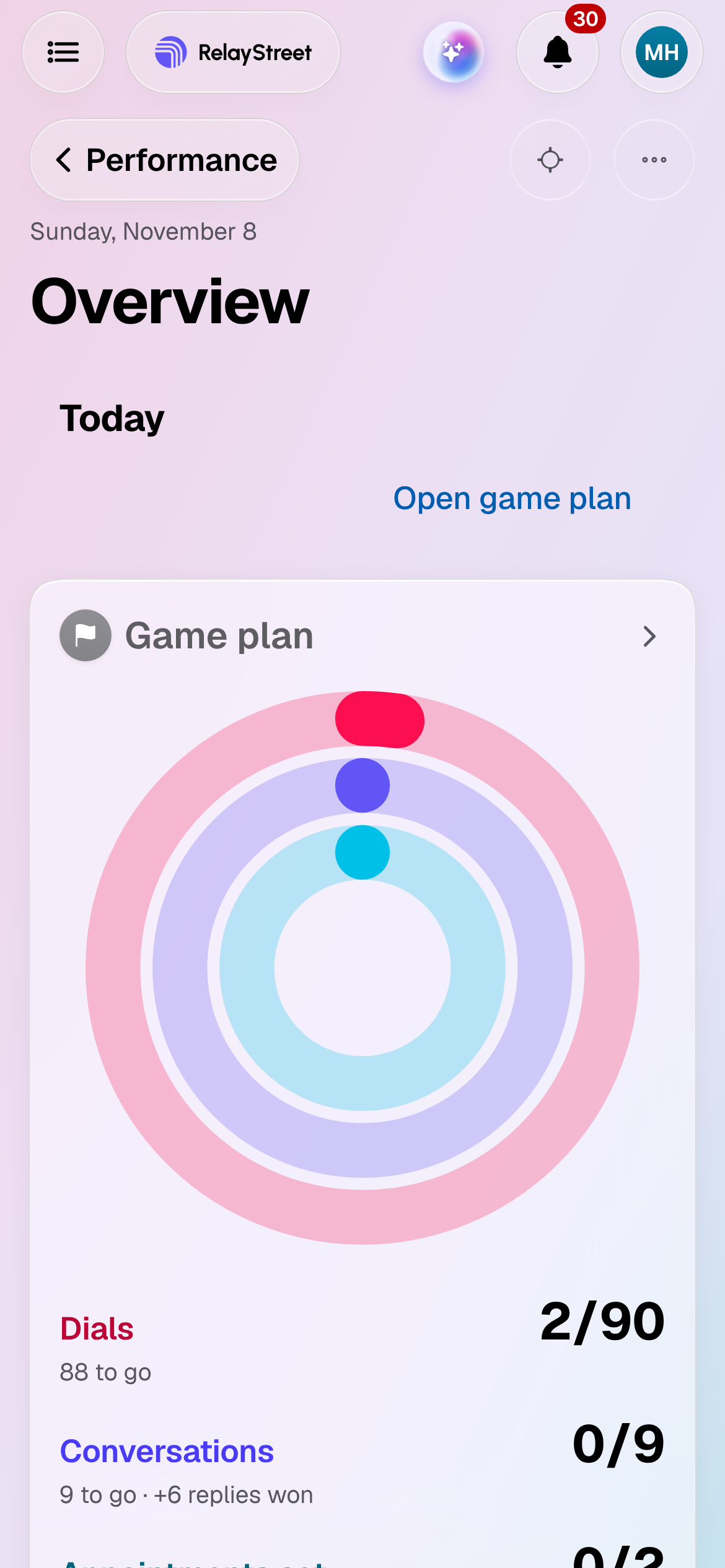
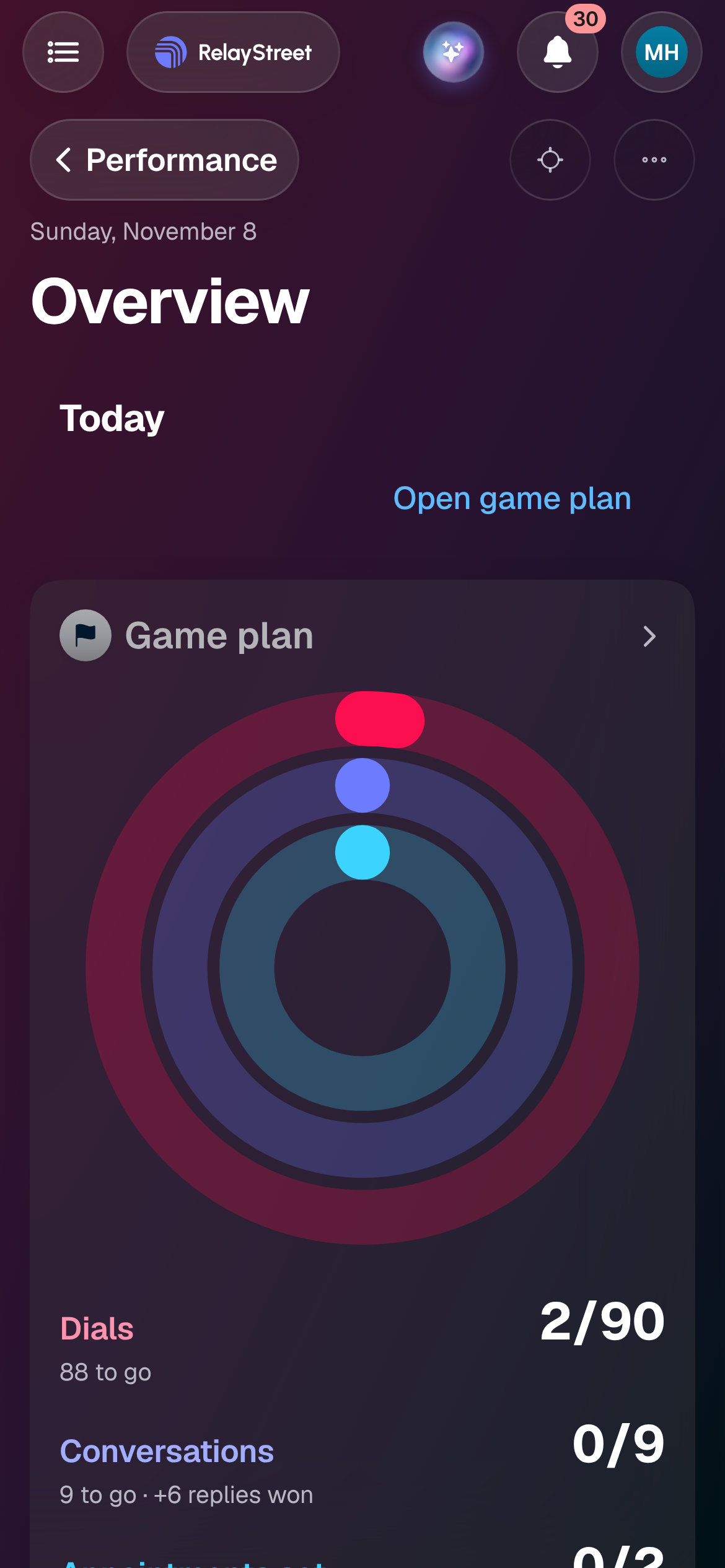
An agent’s Performance overview: today’s dials, conversations and appointments set, and their own work beside what Smart Plans did.

Performance

The team’s pace, and who’s behind it

The Team page opens on the year’s goal against closed GCI, with a marker for where the team should be by now and the words Ahead of pace, On pace or Behind pace.
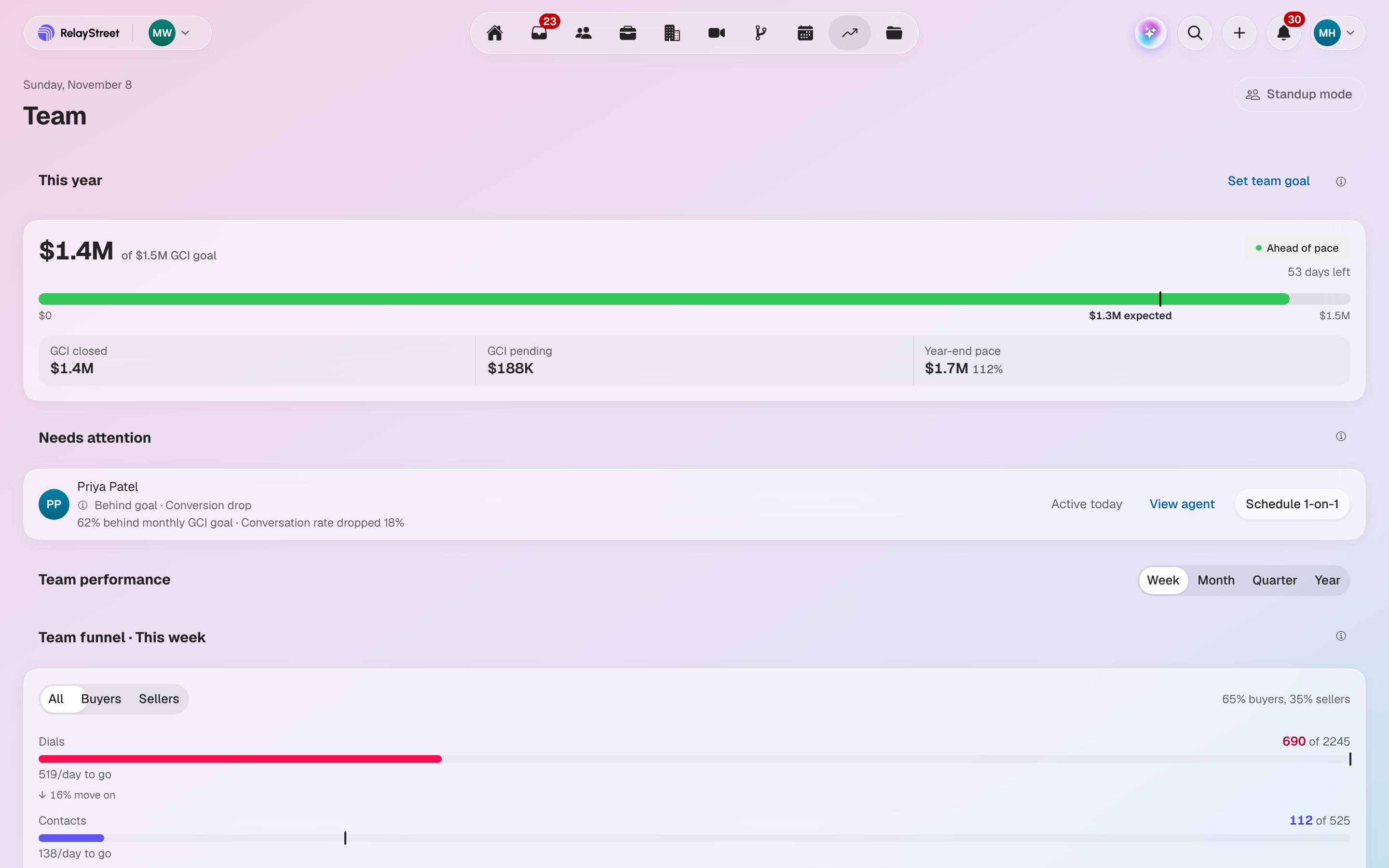
  • Needs attention flags no activity for 2 or more days, 50% or more behind the monthly goal, or a 15% drop in conversion
  • Dials, conversations, appointments set and met, and closings for every member
  • The team funnel, with the stage where leads stall named
  • Standup mode: five slides at 20 seconds each, full screen, for the morning huddle
Explore Performance
The team’s Performance page, with each agent’s progress against their goals.

Speed to lead

How fast new leads hear from a person

The Speed to lead tile shows the team’s average time to first personal contact, the slowest agent, and how many reach new leads inside 5 minutes. Smart Plan and Aiva messages never count toward a person’s own numbers.

  • Leads not acted on, pond auto-releases and claim speed beside it
  • Source ROI by source, channel, campaign, team or agent
  • Every number by week, month, quarter or year
Explore Performance

5min

The line the Speed to lead tile counts against: who reaches a new lead inside 5 minutes, and who doesn’t

Lead accountabilityWeb 1440 × 900

Goals and commissions

One goal, broken into the work

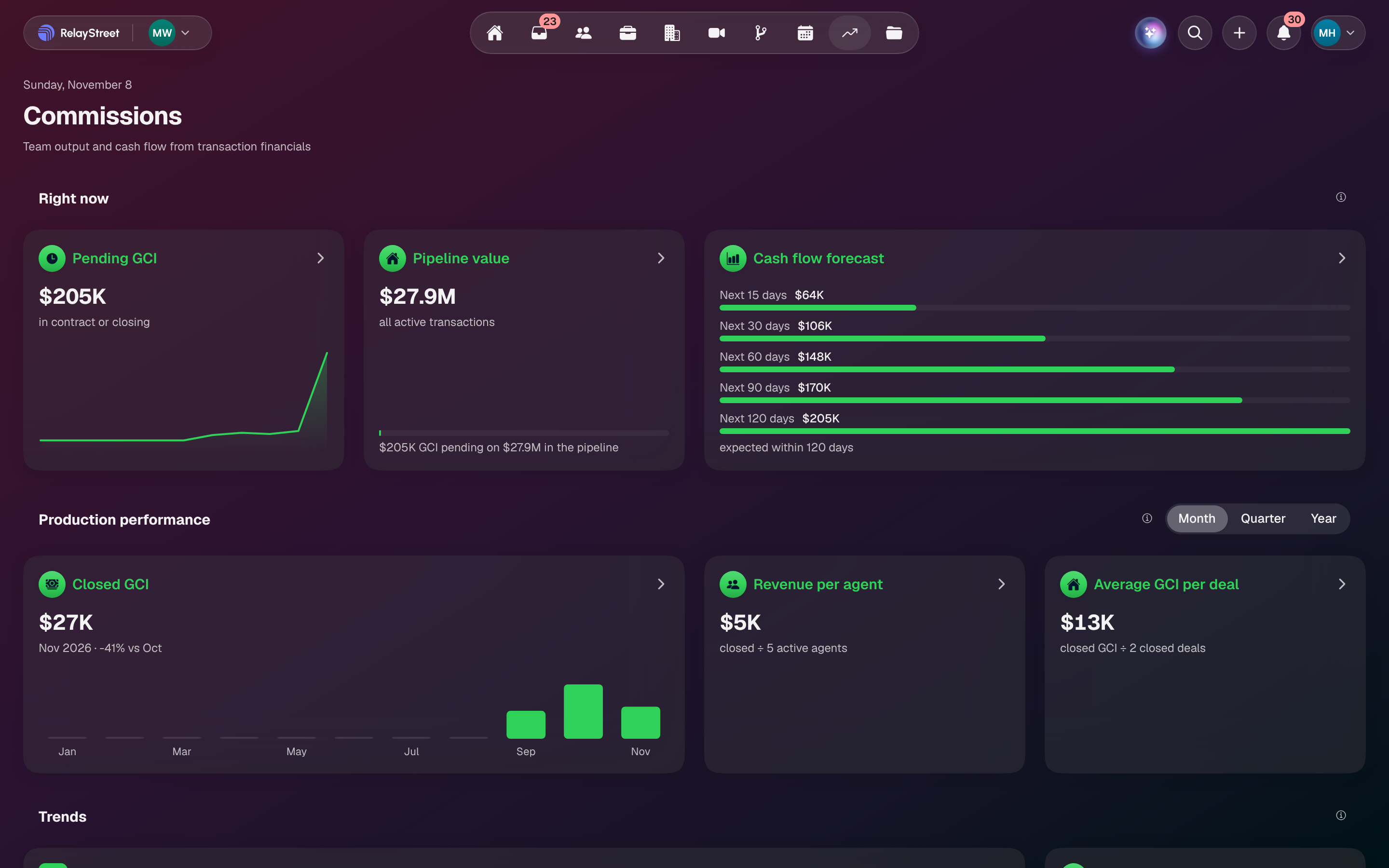
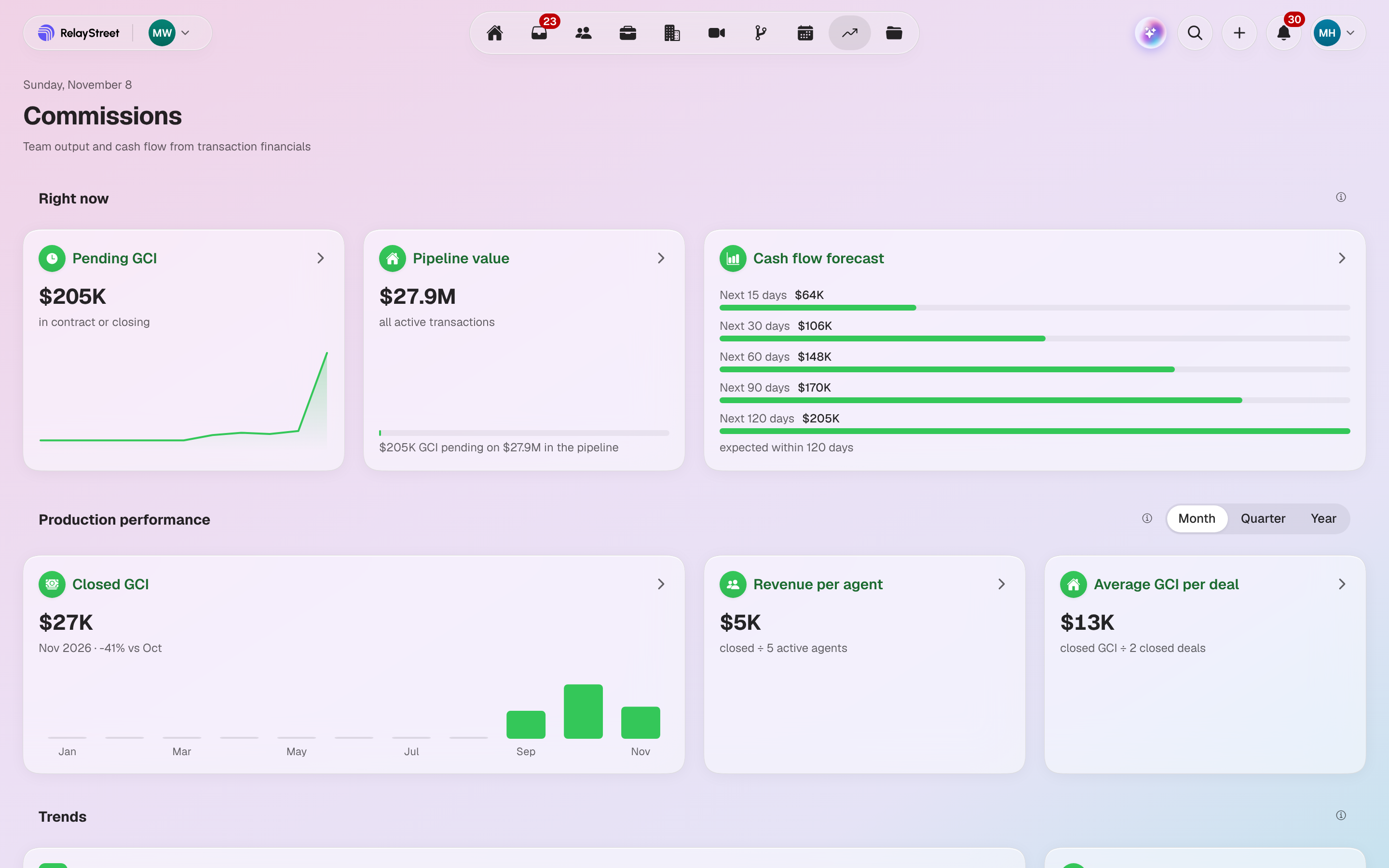
Set the team’s GCI goal and split it equally, by last year or by hand. Each agent’s goal becomes daily, weekly and monthly targets for dials, conversations, appointments and closings.
  • Goal templates for agents and ISAs, set once and assigned
  • Pending GCI, pipeline value and cash flow for the next 15, 30, 60, 90 and 120 days
  • Revenue per agent and average GCI per deal
  • Reports you can save, share with the team or export as CSV
Explore Performance
Commissions, with each deal’s split and what each person on it is paid.

Leaderboard

Every metric is a board

Pick GCI, units closed, conversations, appointments, dials or conversion, for agents, ISAs or everyone. On the office TV, Display mode turns a desktop browser into a full-screen rotation of up to 8 boards.

  • A podium for the top three, and your own row pinned if you’re below tenth
  • Challenges as a Race, Everybody wins or Per unit, with points on the line
  • Each board on screen for 10, 15, 30 or 60 seconds
  • A link to any board keeps its filters
Explore Performance
Leaderboard, Display modeWeb 1440 × 900

Coaching

Coach from the calls, not from memory

The Call review window scores a call out of 10, marks the moments that mattered, and shows talk and listen time, filler words and what was promised. Agents see their own week in calls and one thing to practice.

  • Calls worth a listen come first: an objection left open, no appointment asked
  • What to talk about, drawn from activity drops, no-shows and stalled deals
  • Coaching notes private to leaders, kept by date for each 1-on-1
Explore Performance
Call reviewMac 1512 × 982

Workflows

Automations you can see

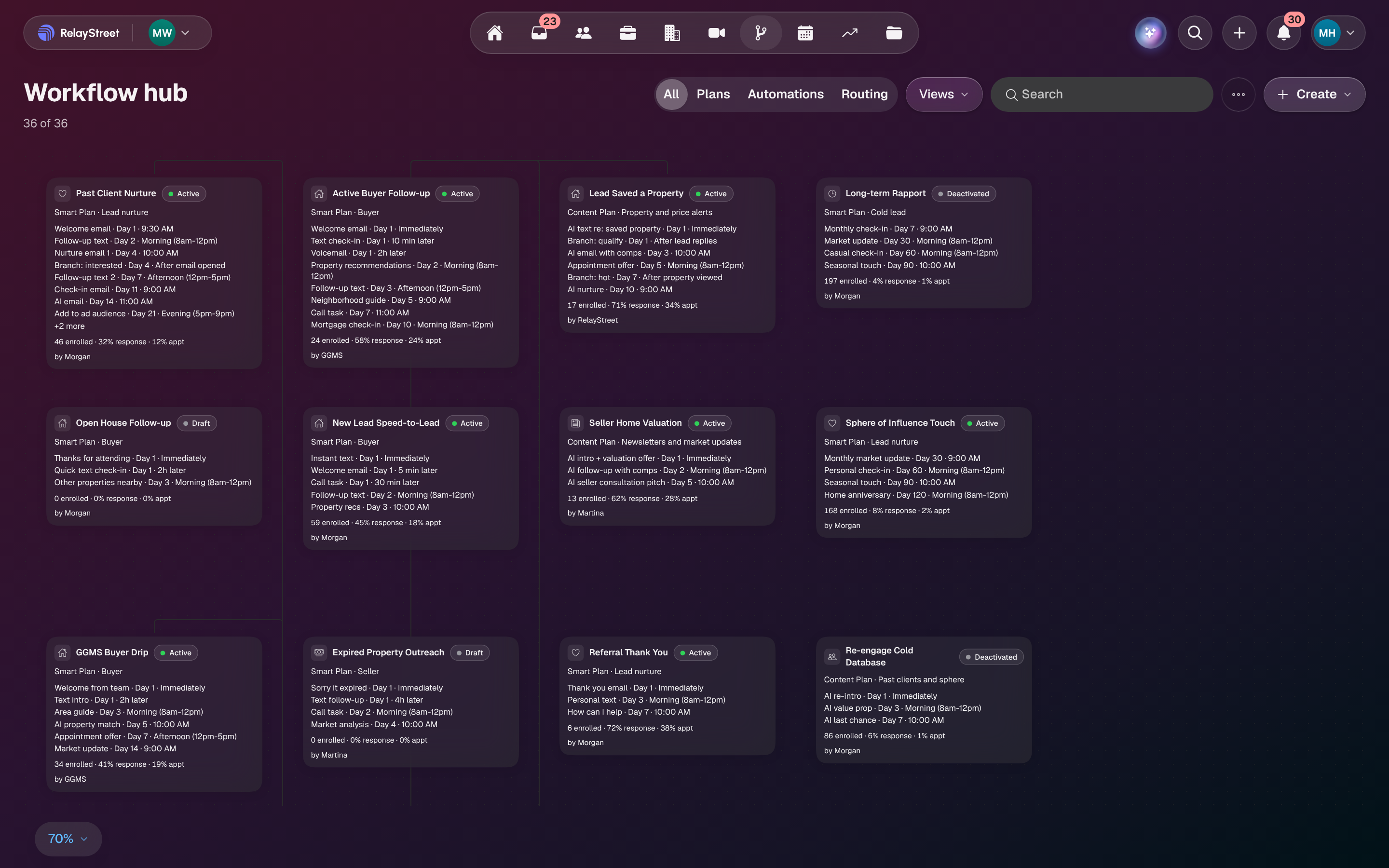
The Workflow hub draws every Smart Plan, automation and routing rule as a map, with a line for what starts what. Team Leads can create, pause and change automations.
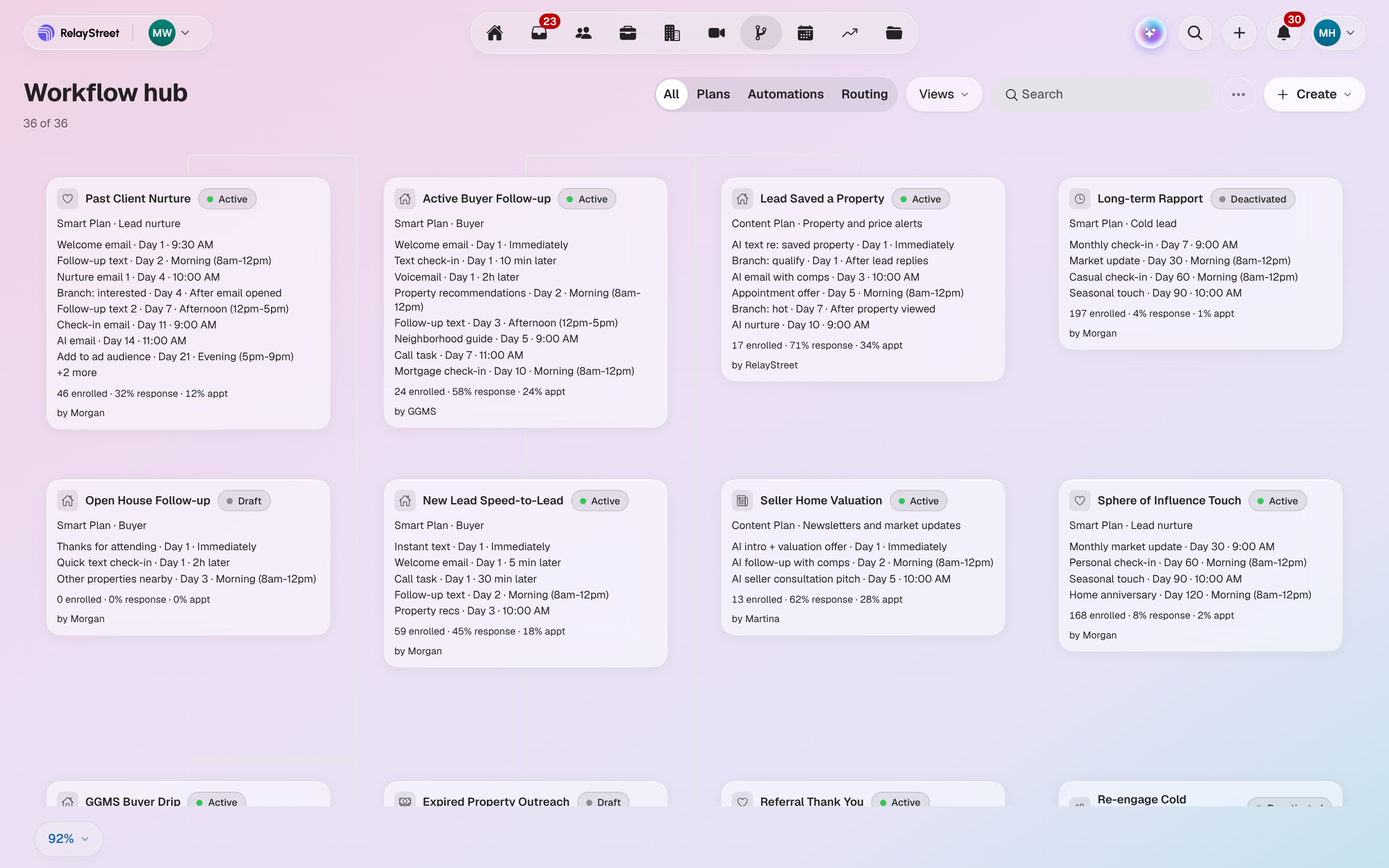
  • When this happens, and if, then do this, with triggers from tags, stages, appointments, ponds and transactions
  • Limits like once per contact or at most once a day
  • Opt-outs, Do Not Contact and missing consent always stop texts and emails, and that can’t be turned off
  • Test with a lead first. A test never sends messages or changes the lead
Explore Workflows
The Workflows hub, with Smart Plans, routing and the other rules that run the team.

Contact routing

Every new lead to the right person

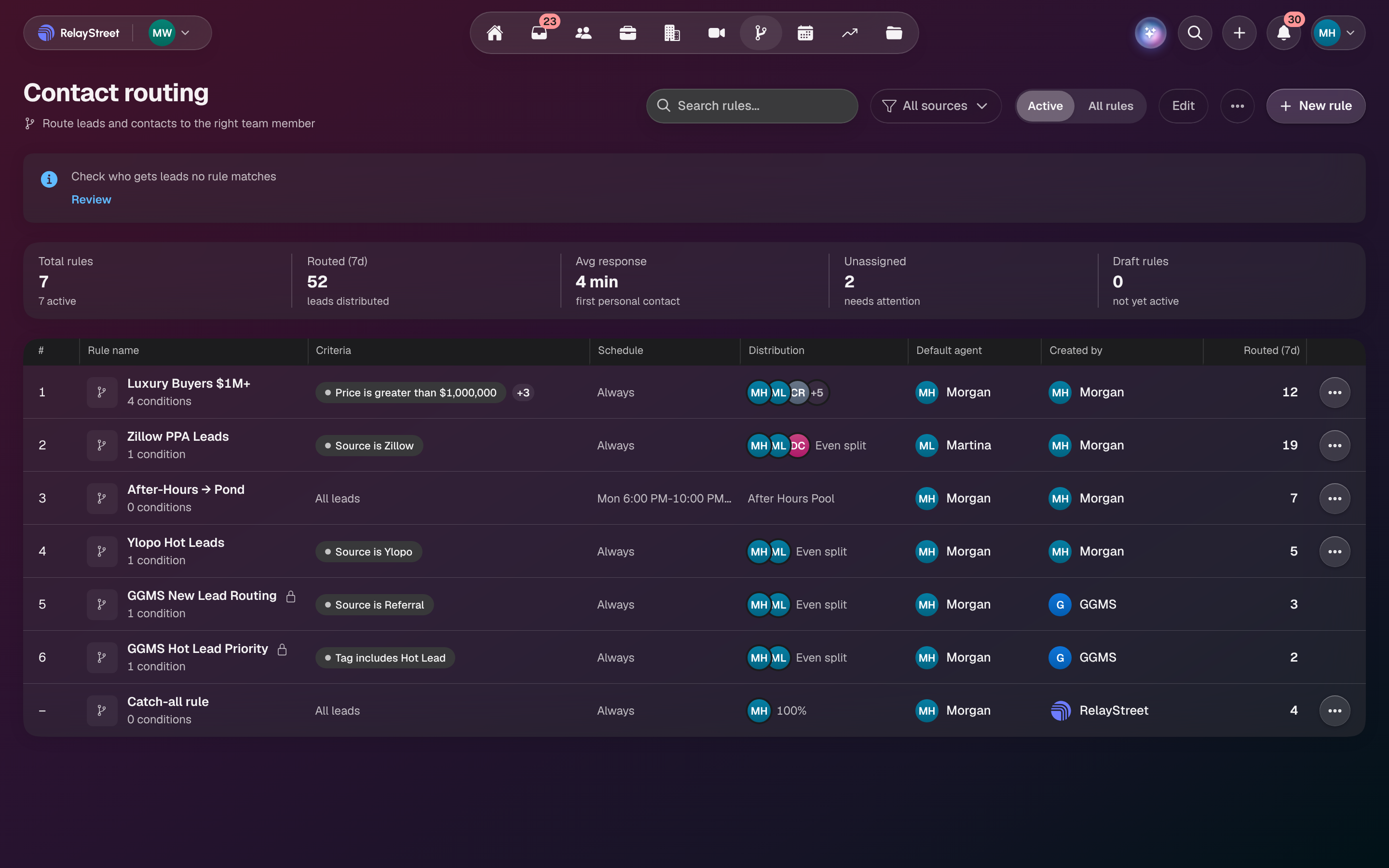
Routing rules run top to bottom, and the first match wins. Choose Round robin, Claim Rotation, First to Claim or a Lead Pond, with a response timeout before the next agent gets a turn.
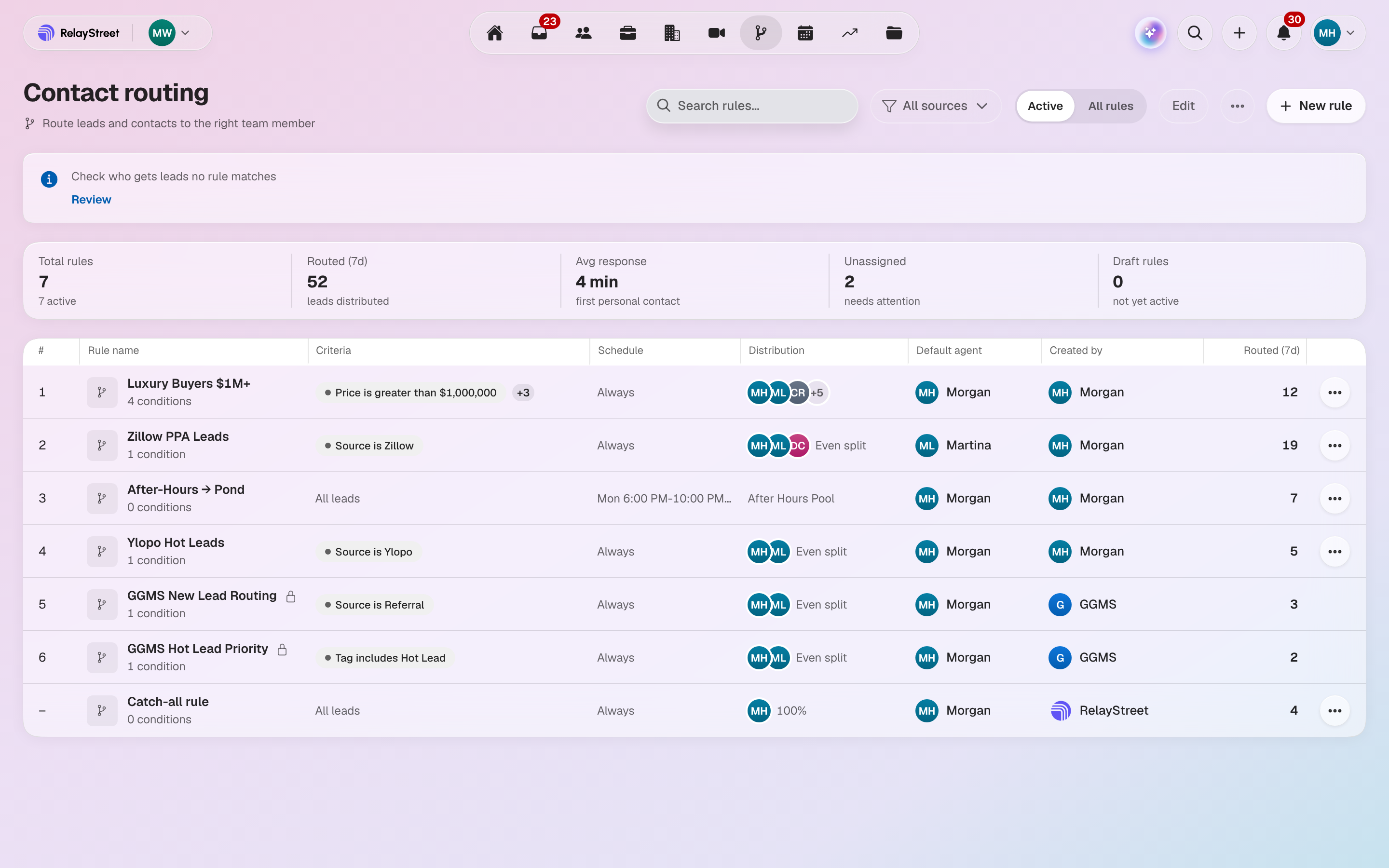
  • On assignment, add tags, set the stage or start a Smart Plan
  • Test a rule with a sample lead. A test never routes or changes a lead
  • Ponds with working limits, claim timeouts and what counts as working a lead
  • A warning when another rule gets these leads first
Explore Workflows
Contact routing, with the rules that send each new lead to the right agent.

Roles and permissions

The right access for every seat

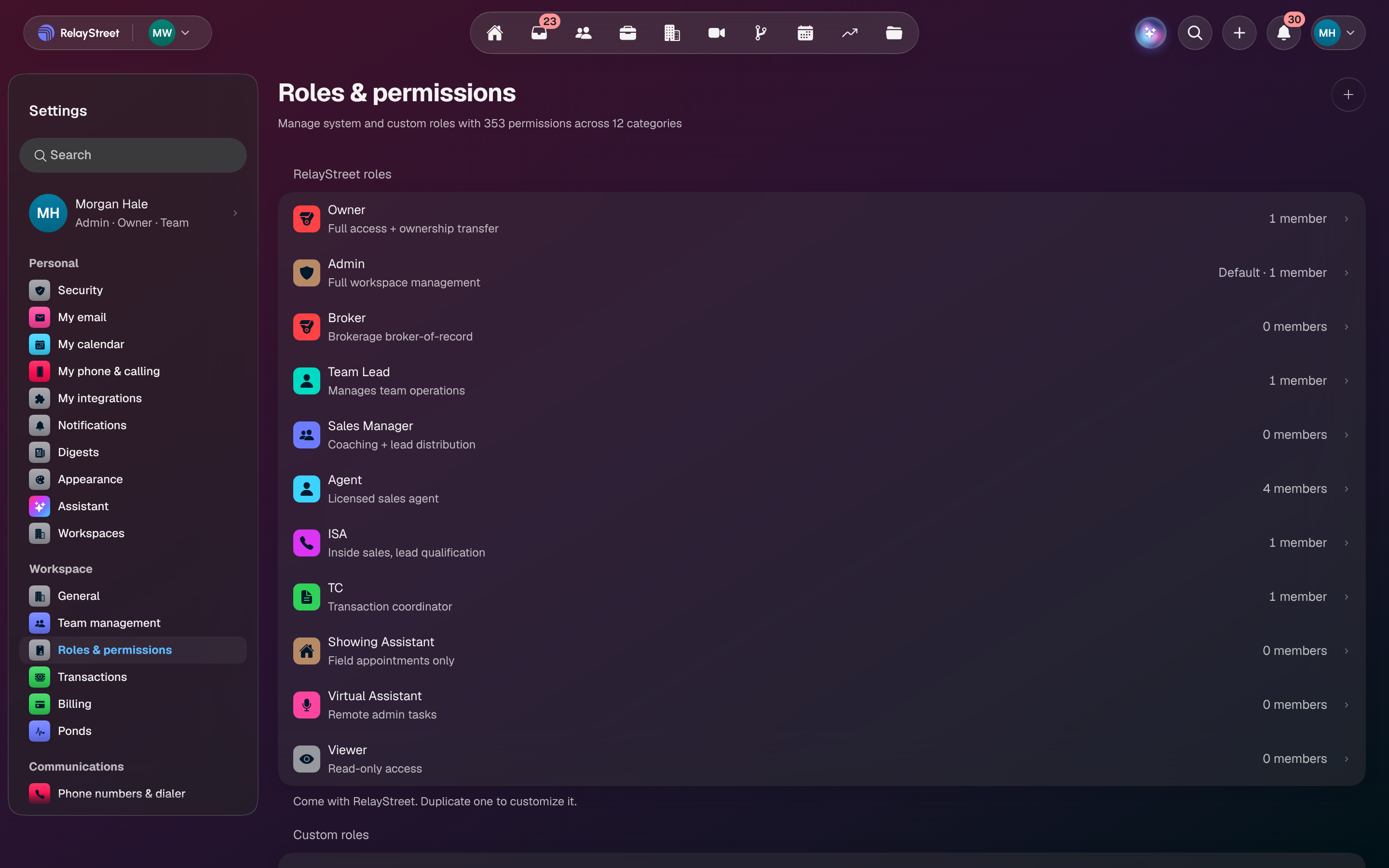
Eleven built-in roles, from Owner and Broker to Team Lead, Agent, ISA and Transaction Coordinator. Turn single permissions on or off for one person, and View as anyone to check what they see.
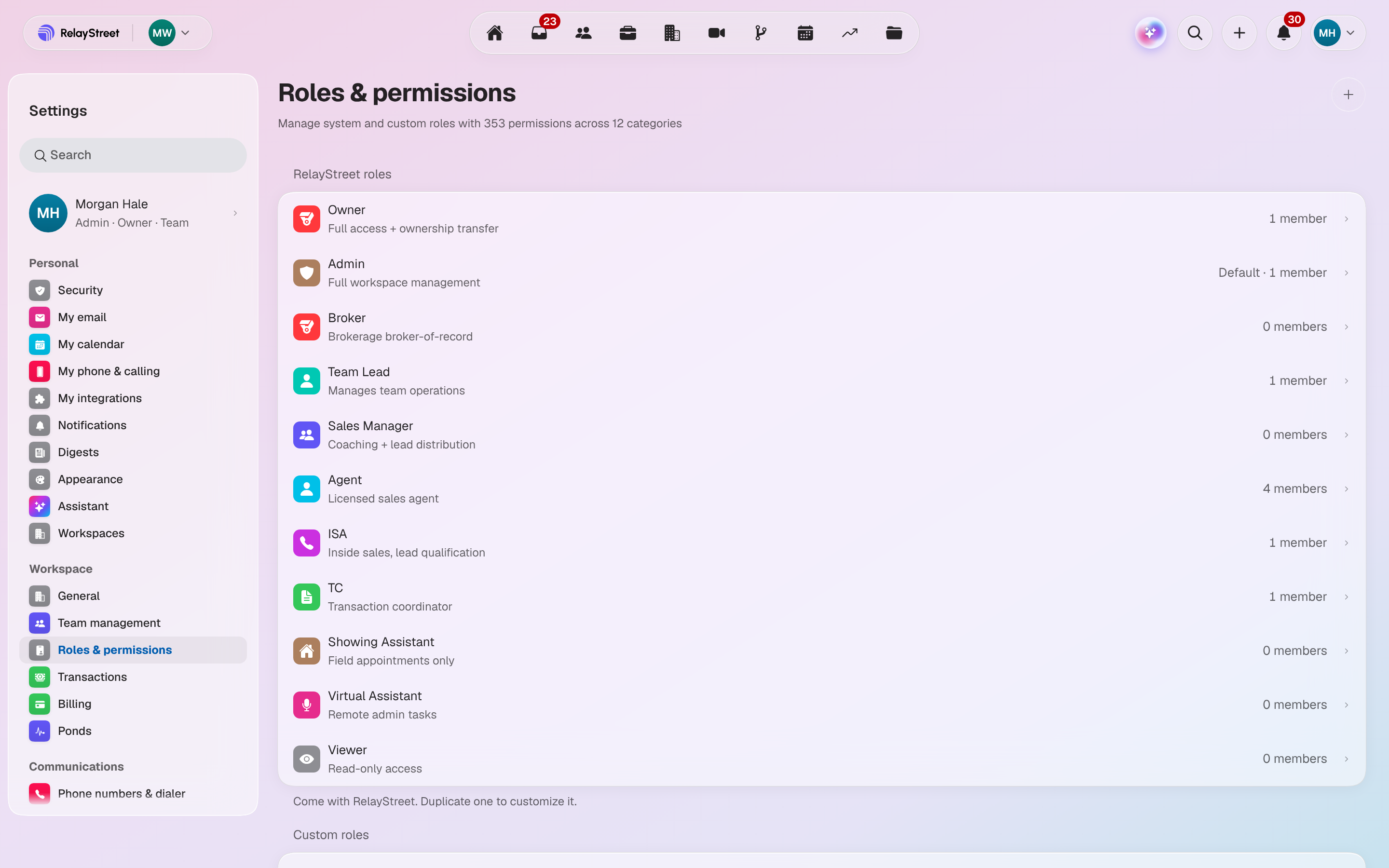
  • Permissions in 12 groups, from Leads & CRM to Files & Documents
  • Who sees commissions and call recordings, set by role
  • People can only give roles ranked below their own
  • Nothing shows until permissions load, and anything unknown stays closed
Roles and permissions, with what each role on the team can see and do.

The rest of RelayStreet

Work your leads

Every lead, worked from one record

Contacts · Record · Inbox · Dialer · Smart Plans · Consent · On your phone

Work your leads

Run your deals

Every deal, from signed to closed

Pipeline · Deadlines · Commission · Closing · Coordinators · Properties · Schedule · Files

Run your deals

Market yourself

Market every property from its own record

Create · Social · Ads · Email · Design · Sites · Home tours · Leads

Market yourself

Get in early. Bring your database when you do.

Join the waitlist today. When your invite comes, import your contacts, check them first, and undo it for 30 days.