Skip to content

Run your deals

Every deal, from signed to closed

Transactions, Properties, Schedule and Files work from the same records. A deal’s tasks show on your Schedule, and its documents sit with the property and the people.

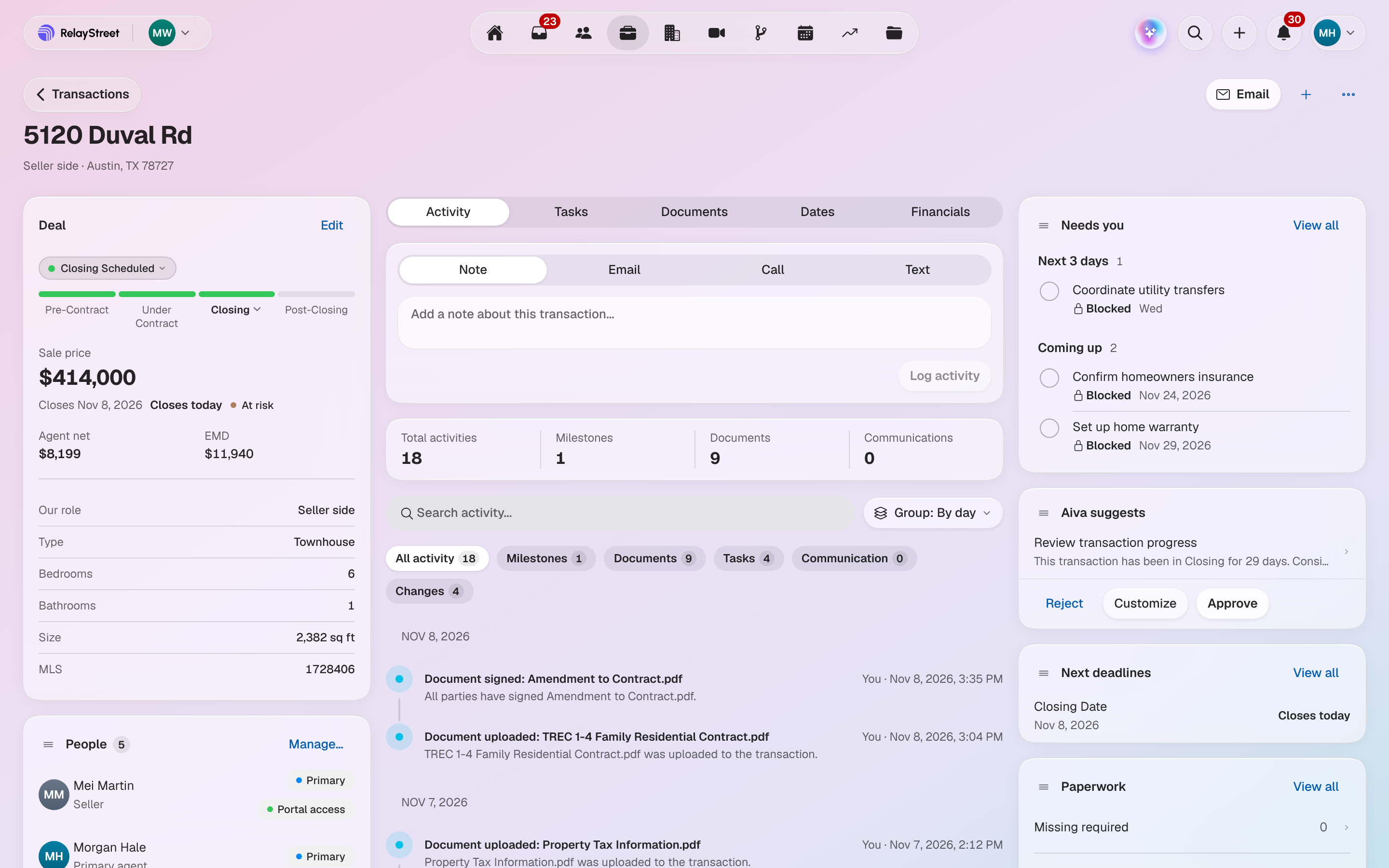
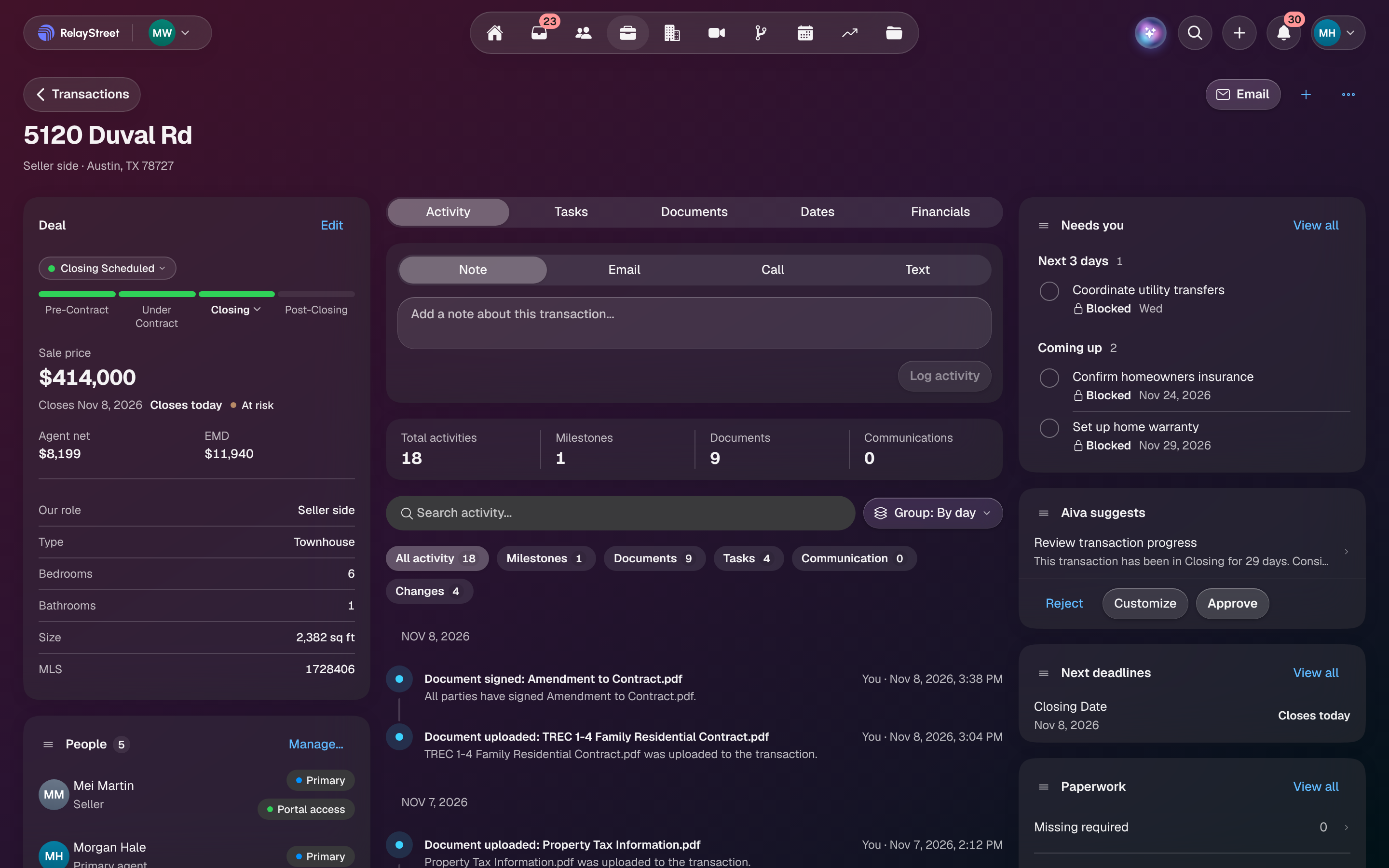
A deal page, with its key dates on a timeline, the people on the deal, tasks and documents.
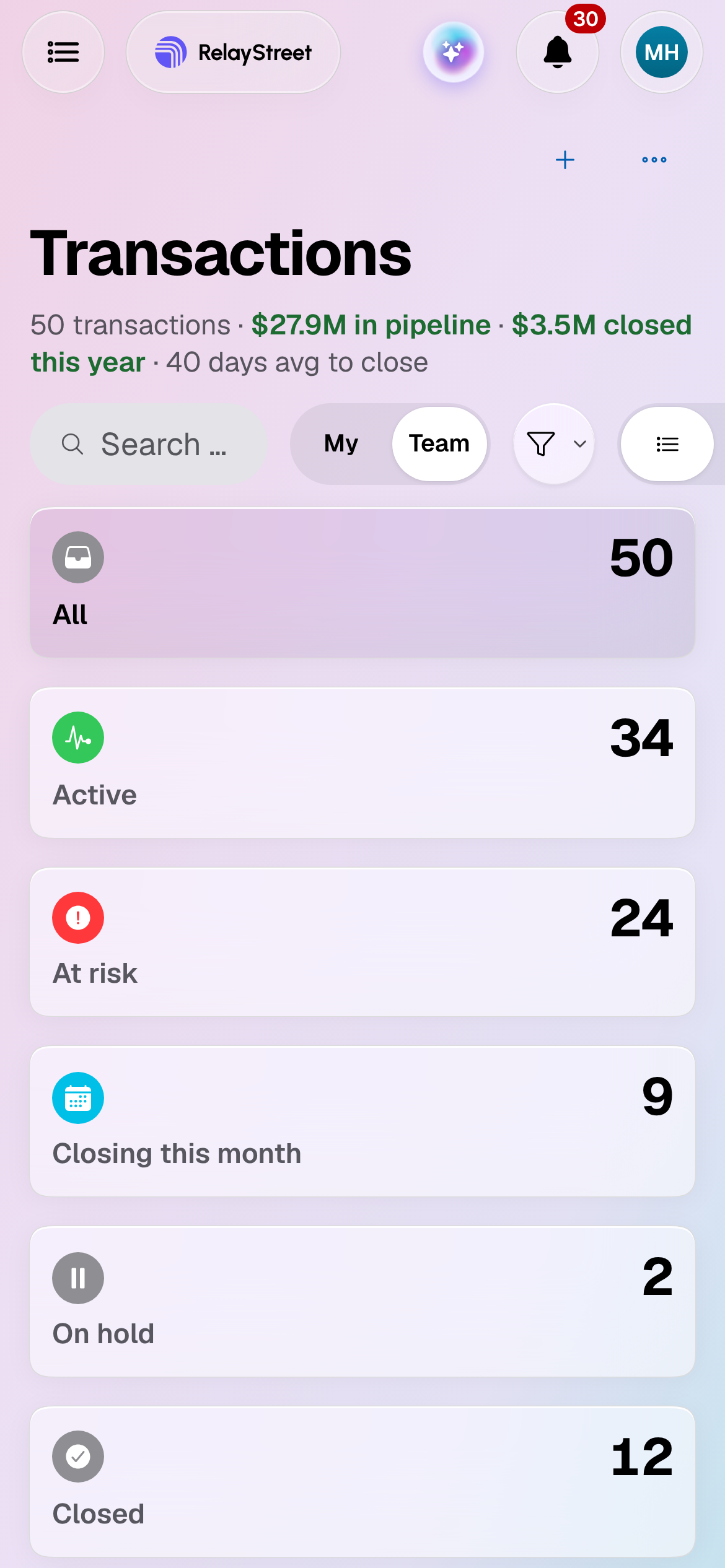
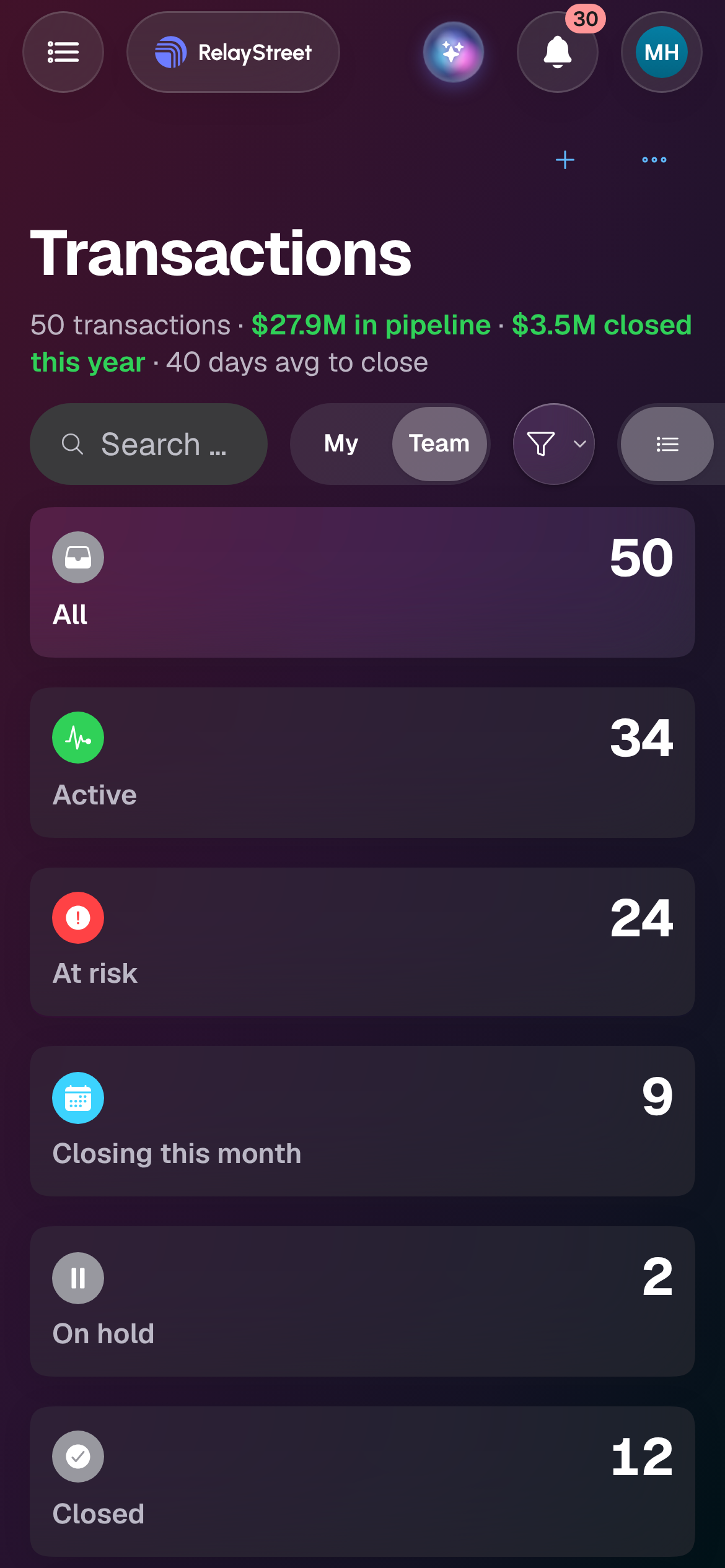
The transactions pipeline, with each deal as a card in its stage, from new to closed.

Transactions

The whole pipeline on one board

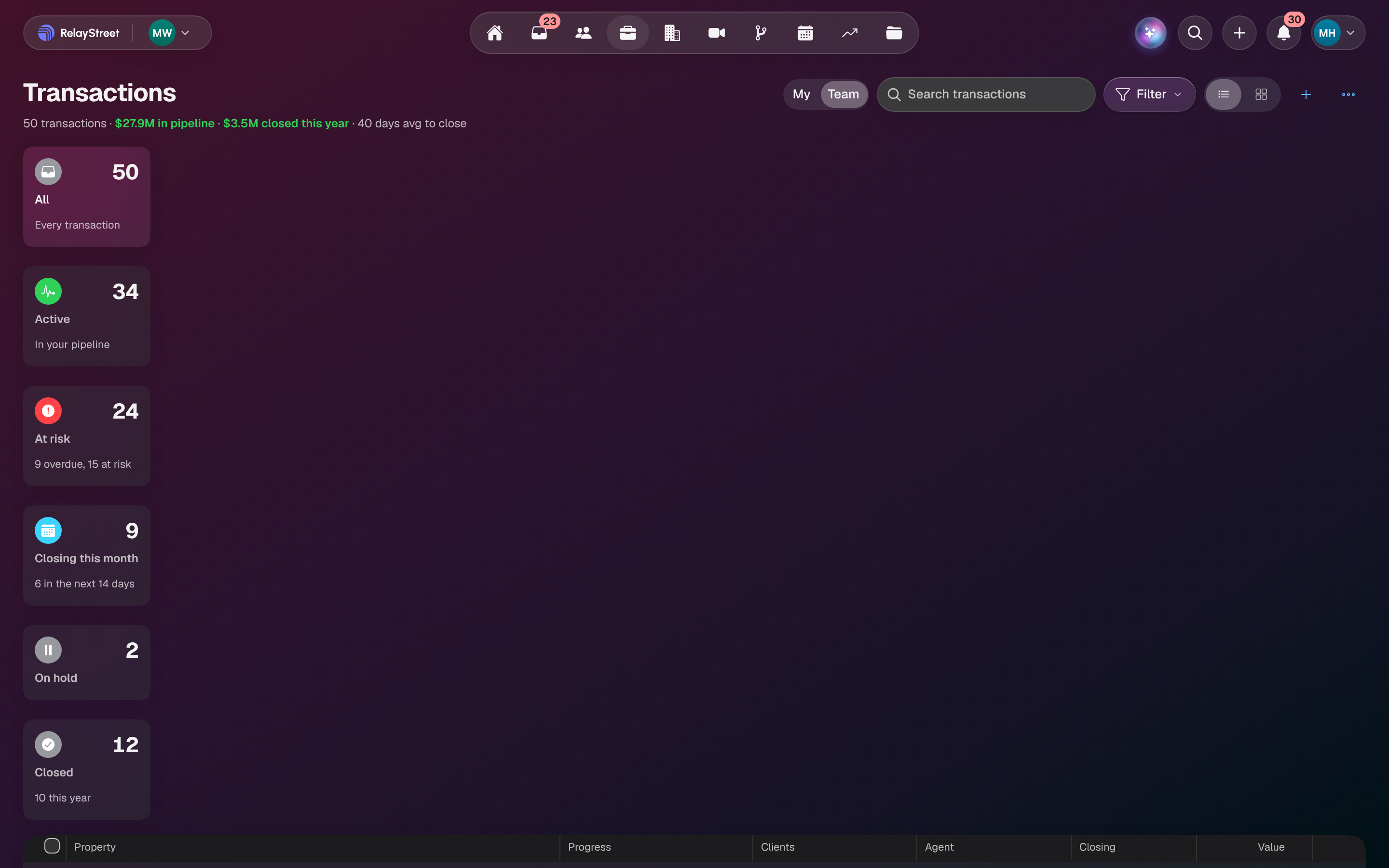
One column per stage, with each column’s value at the top. Drag a deal to its next stage, and the summary line keeps count of what’s in the pipeline, what closed this year and the average days to close.
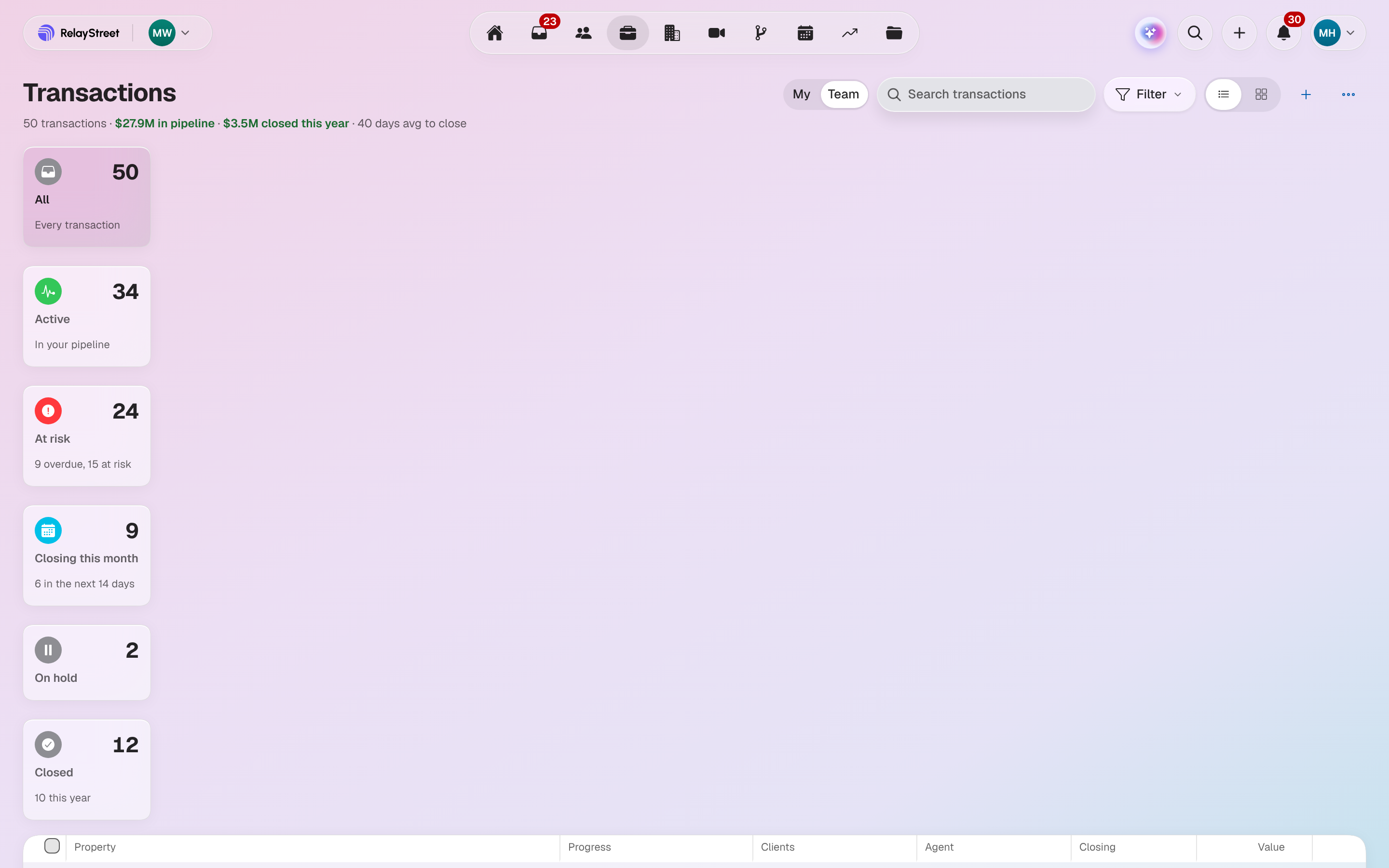
  • Lists for Active, At risk, Closing this month, On hold and Closed
  • A health badge on every deal, with the reasons it’s at risk or overdue
  • Seven deal types, from Buyer side and Seller side to Lease, Referral and Commercial
  • A new transaction started from a property, a contact or a signed appointment
Explore Transactions
The transactions pipeline, with each deal as a card in its stage, from new to closed.

Checklists and deadlines

Know what’s due before it’s late

Apply a Checklist and the deal gets its tasks, key dates and document folders. Ten key dates in four groups run from the contract date to possession, and a date can follow a formula from another.

  • Contingencies for inspection, appraisal, financing, title and more, each Pending, Satisfied, Waived or Expired
  • A Needs you card with what’s overdue, due today and due in the next three days
  • Tasks that wait on other tasks, and one Task queue across every active deal
  • Triggers on a deal: when a task is done or overdue, notify someone, add the next task or move the stage
Explore Transactions
Deal page, Dates and Needs youMac 1512 × 982

Commission and GCI

Your number, worked out on the deal

The Money card holds the sale price, gross commission, the brokerage share, fees and your net. The commission calculator walks splits and deductions down to net to agent.

  • Earnest money with who holds it, when it’s due and whether it’s deposited
  • A commission disbursement authorization, generated from the calculator as a PDF
  • The final gross commission recorded when you mark the deal closed
  • Money fields shown only to the people allowed to see commissions
Explore Transactions
Commission calculatorWeb 1440 × 900

Paperwork and closing

Closed, with the paperwork to show for it

Each folder shows how many required documents are in. Mark closed records the close date, final price and final GCI, and if a document is still missing, you can close anyway and the reason stays on the record.

  • Approve or reject each document, with the reason written down
  • The signature state on every document, from Awaiting signatures to Fully signed
  • Every stage and status move kept in the deal’s activity
  • A post-close Smart Plan started from the same window
How compliance works

Purchase agreement

14 Alder Ln

Buyer side

ClosedNov 6
Deal documents and PaperworkWeb 1440 × 900

Transaction coordinators

Built for the person who keeps the file

The Transaction Coordinator role is built in. It opens on the team’s deals and can edit every file: its documents, contingencies, checklists and people.

  • People on each deal grouped as Clients, Our team and External partners, from loan officer to title and escrow
  • Tasks assigned to anyone on the deal’s team, one at a time or in bulk from the Task queue
  • A private client portal per deal, with only the dates and documents you choose to share
  • Email from the deal with the other people on it suggested
Explore Transactions
Deal page, PeopleMac 1512 × 982

Properties

One record for the home

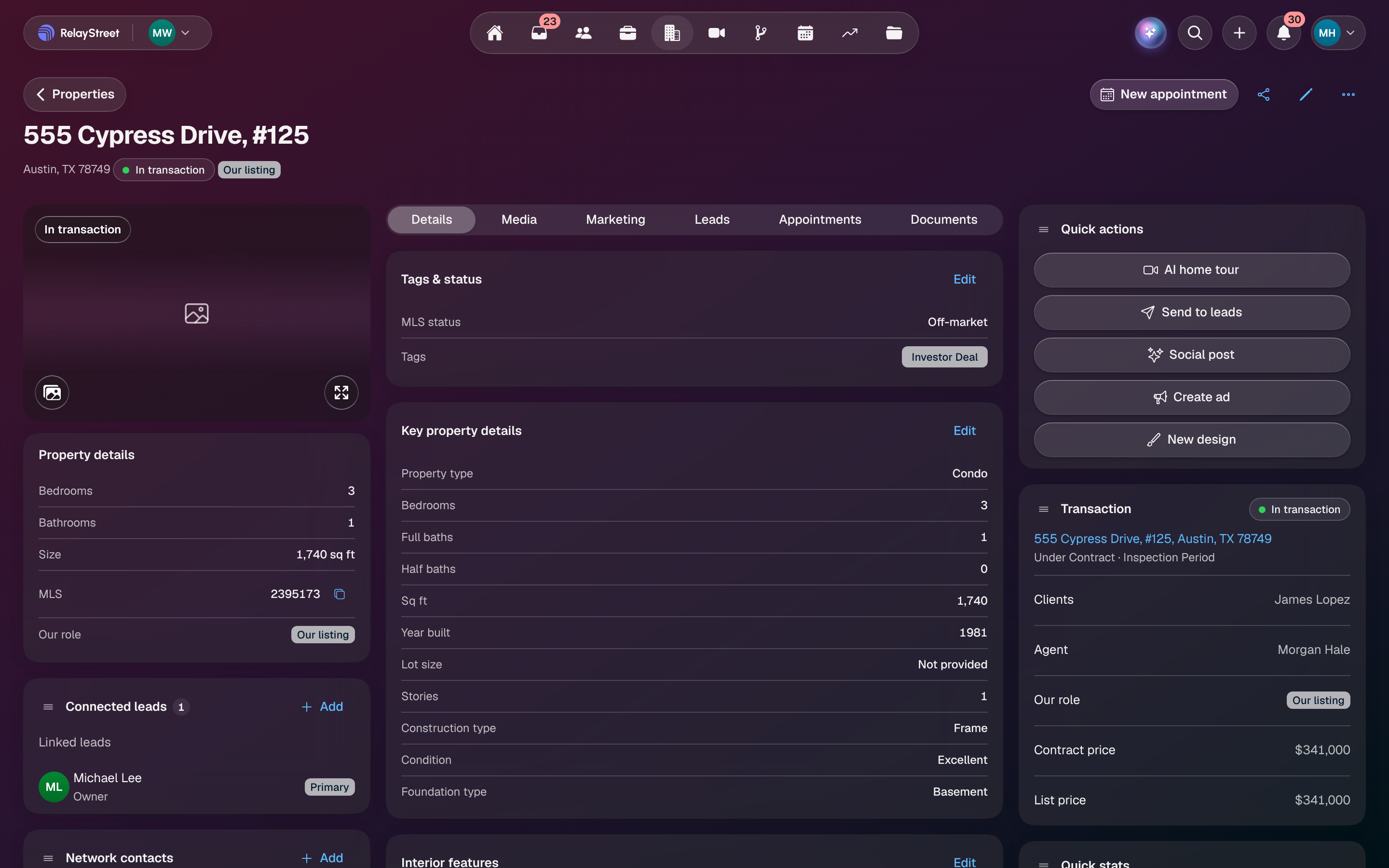
Its facts, photos, floor plans and tours, its documents, its owners and the people working it, its appointments and its marketing, and its link to the deal.
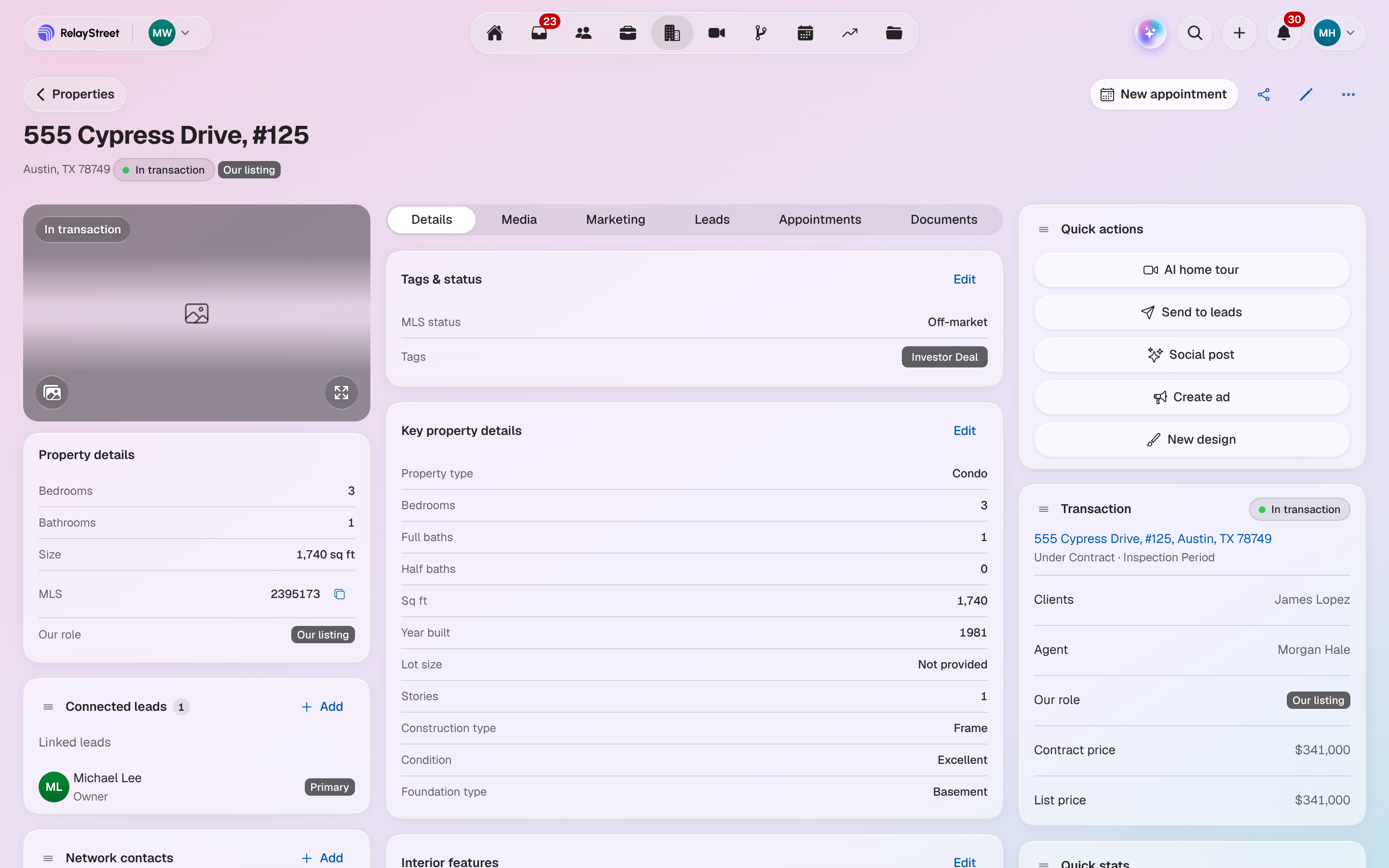
  • Eleven Details sections, from interior and HOA to schools, flood zone and utilities
  • Photos with room labels and a key photo, and tour links from Matterport, YouTube or Vimeo
  • Access instructions and lockbox codes kept behind Show and Hide
  • A design, a social post, an ad or a home tour started from the property
Explore Properties
A property record, with its photos, facts, people and the marketing made for it.
Properties mapiPad 1180 × 820

Schedule

Appointments that end with an outcome

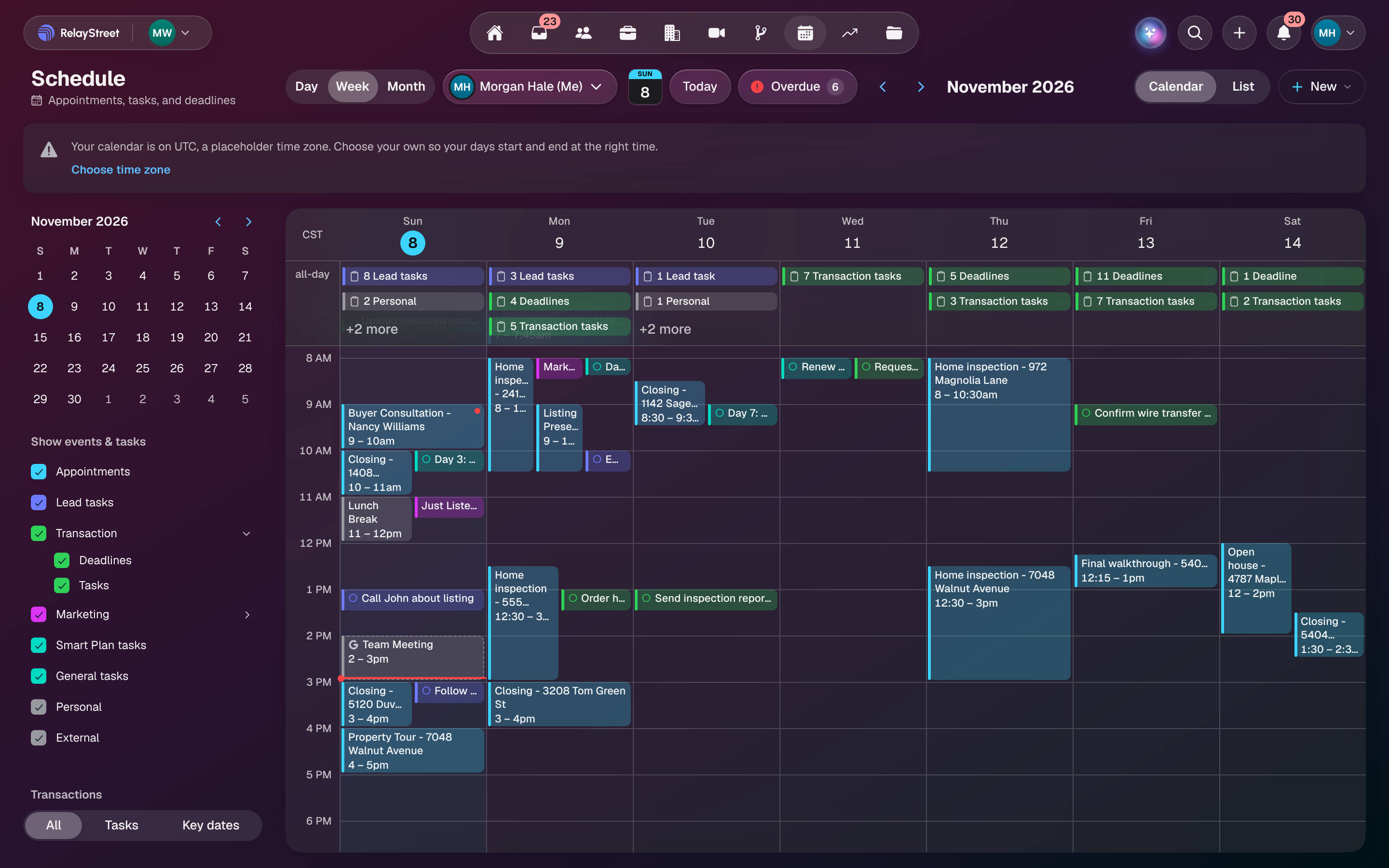
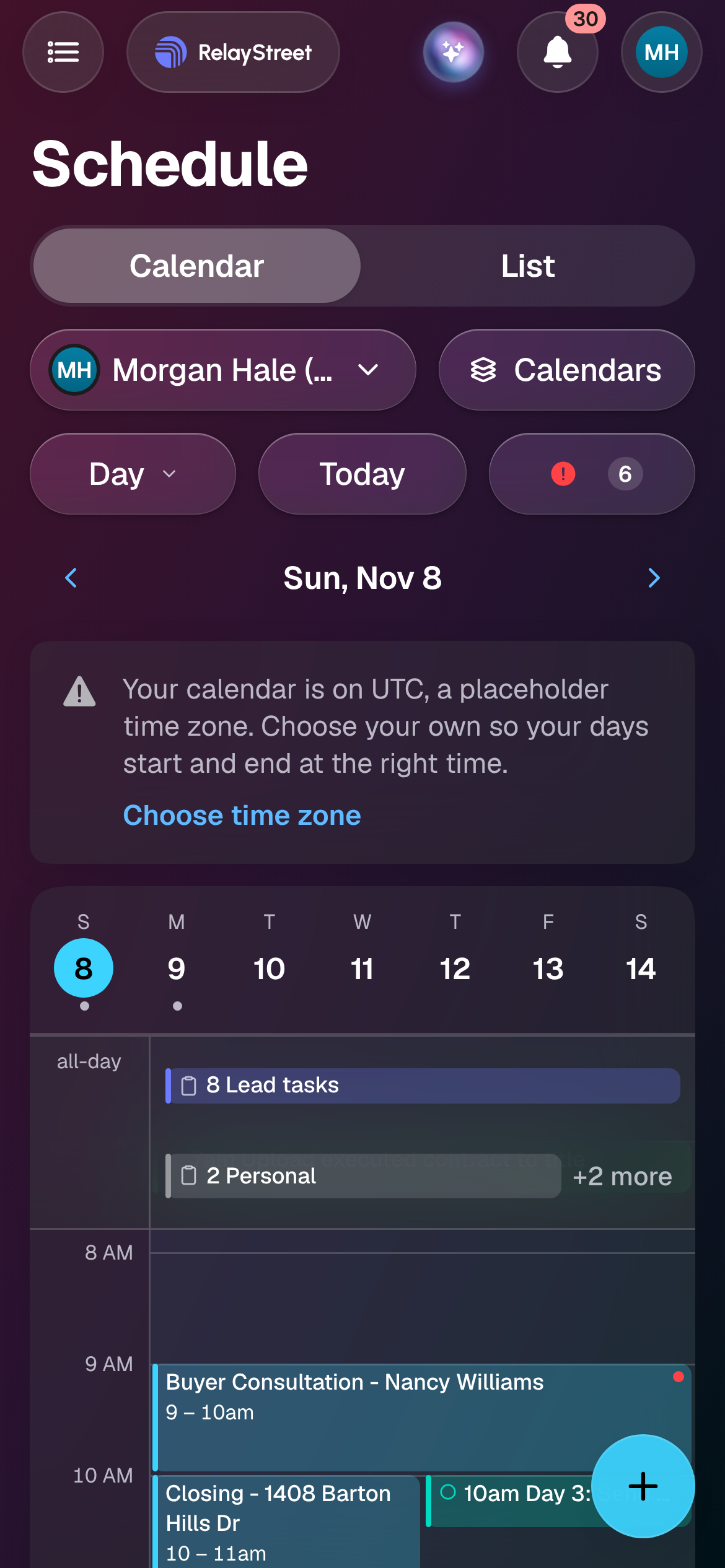
Appointments, lead tasks, transaction tasks and blocked time sit on one calendar, by day, week, month or as a list. After each appointment you log how it went, and Signed opens a new transaction.
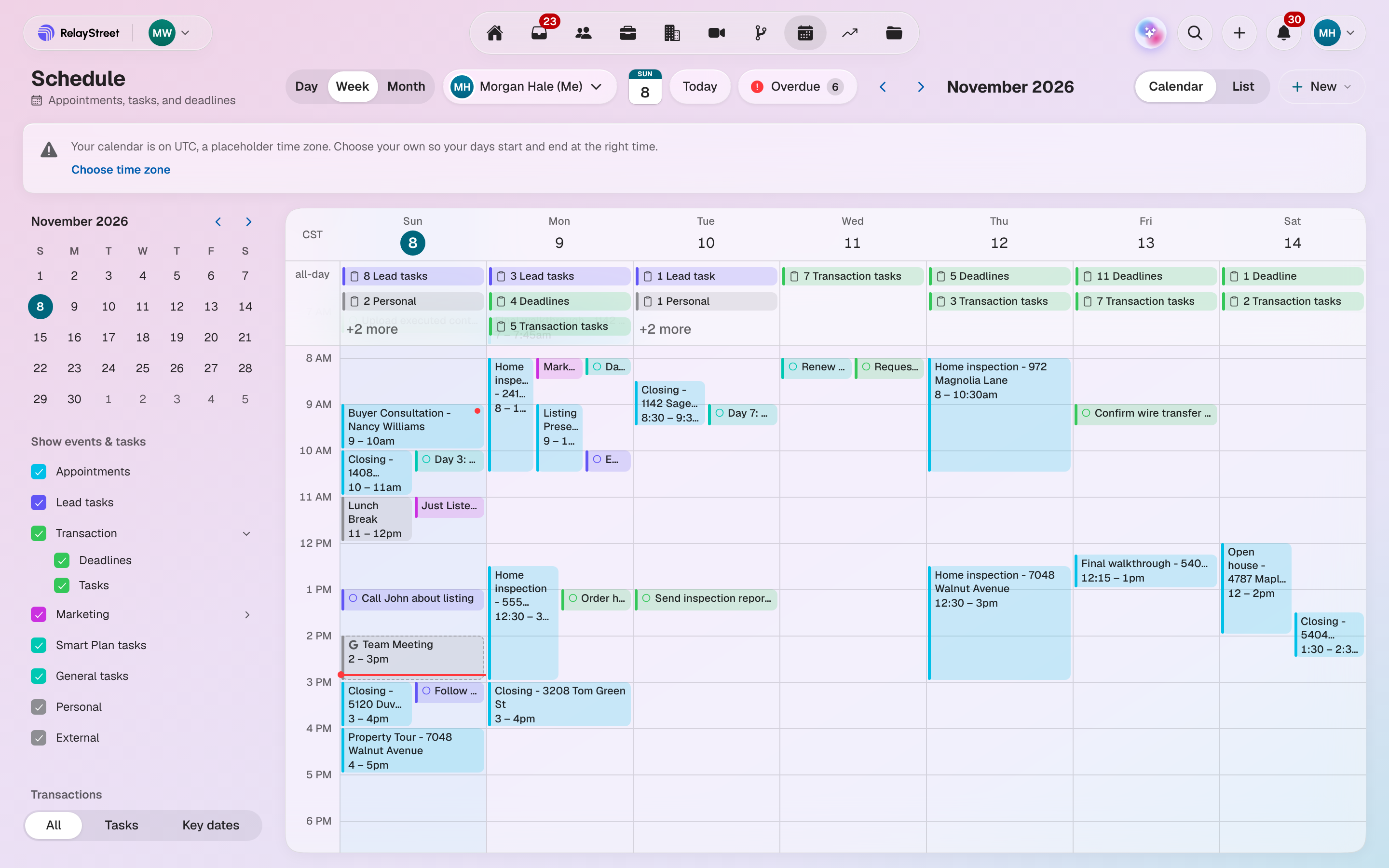
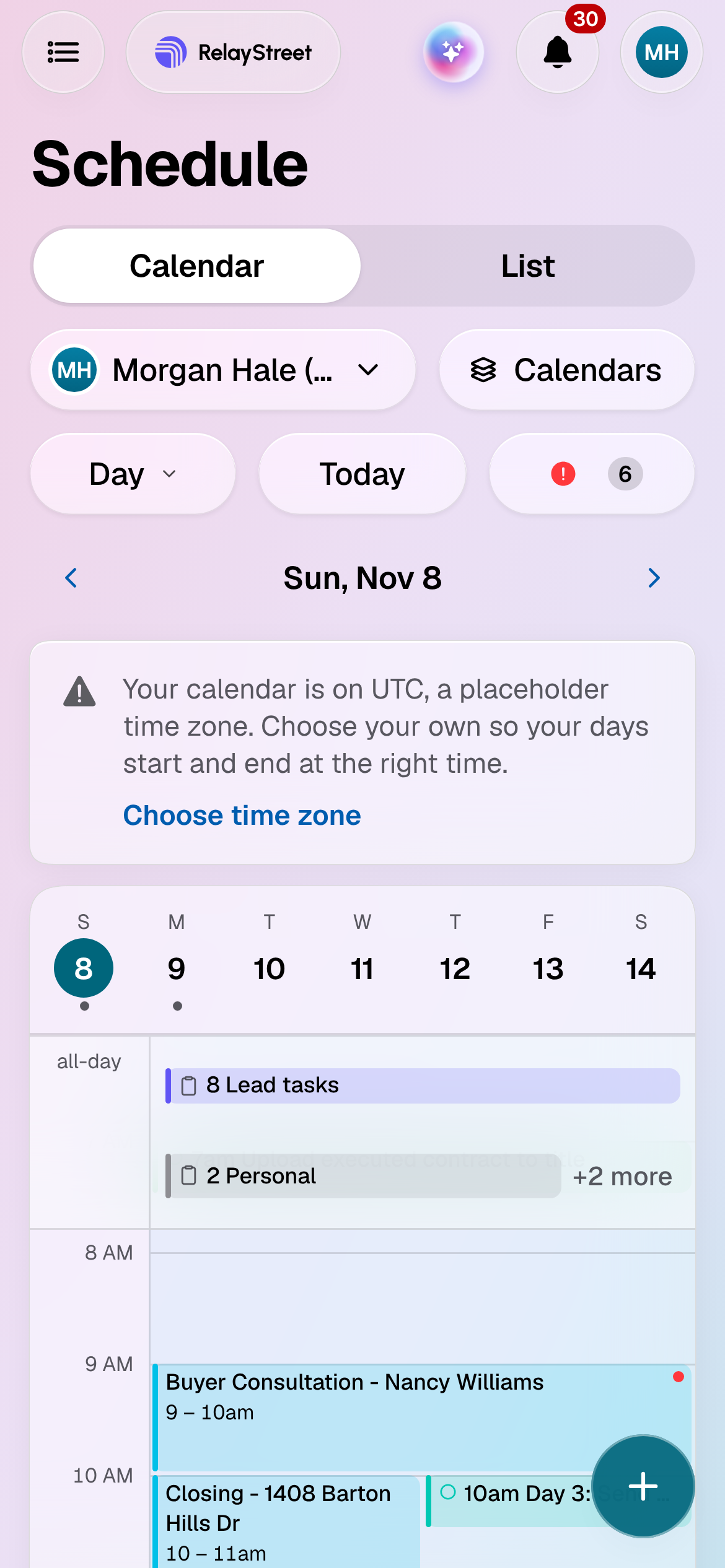
  • Nine appointment types with their own lengths, from a buyer consultation to an open house
  • Eight outcomes, with a follow-up task after a no-show and a linked new time after a reschedule
  • Move an appointment and you’re asked whether to let the lead know, inside their contact hours
  • Team calendars shared as free or busy, titles only, or full details
Explore Schedule
The Schedule in week view, with appointments and tasks across the week.
The Schedule in day view, with appointments, closings, tasks and plan steps hour by hour.

Files

Every file where the work is

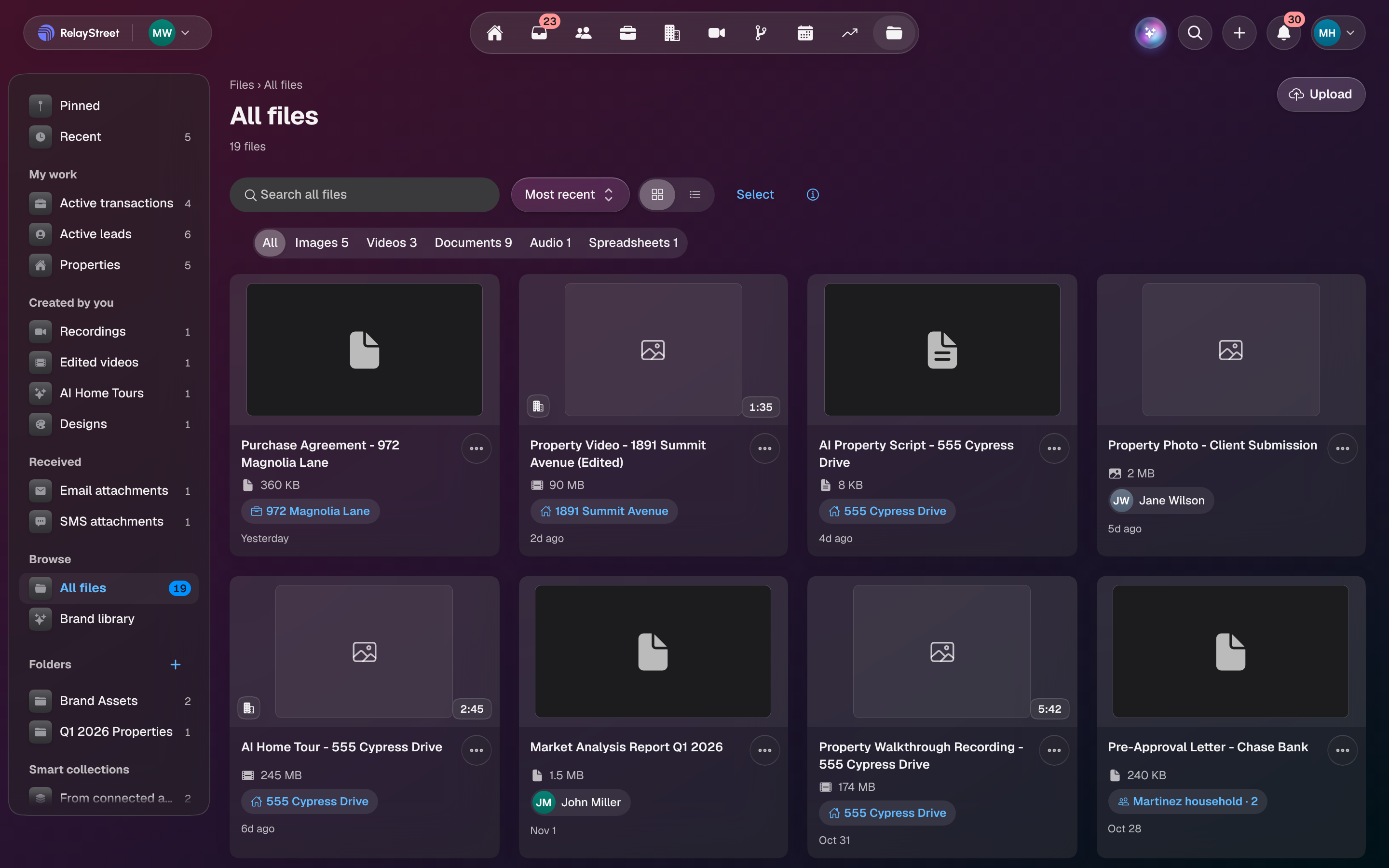
Files is laid out like Finder, with My work, Created by you and Received. Link a file to a lead, a property or a deal, and it shows on that record too.
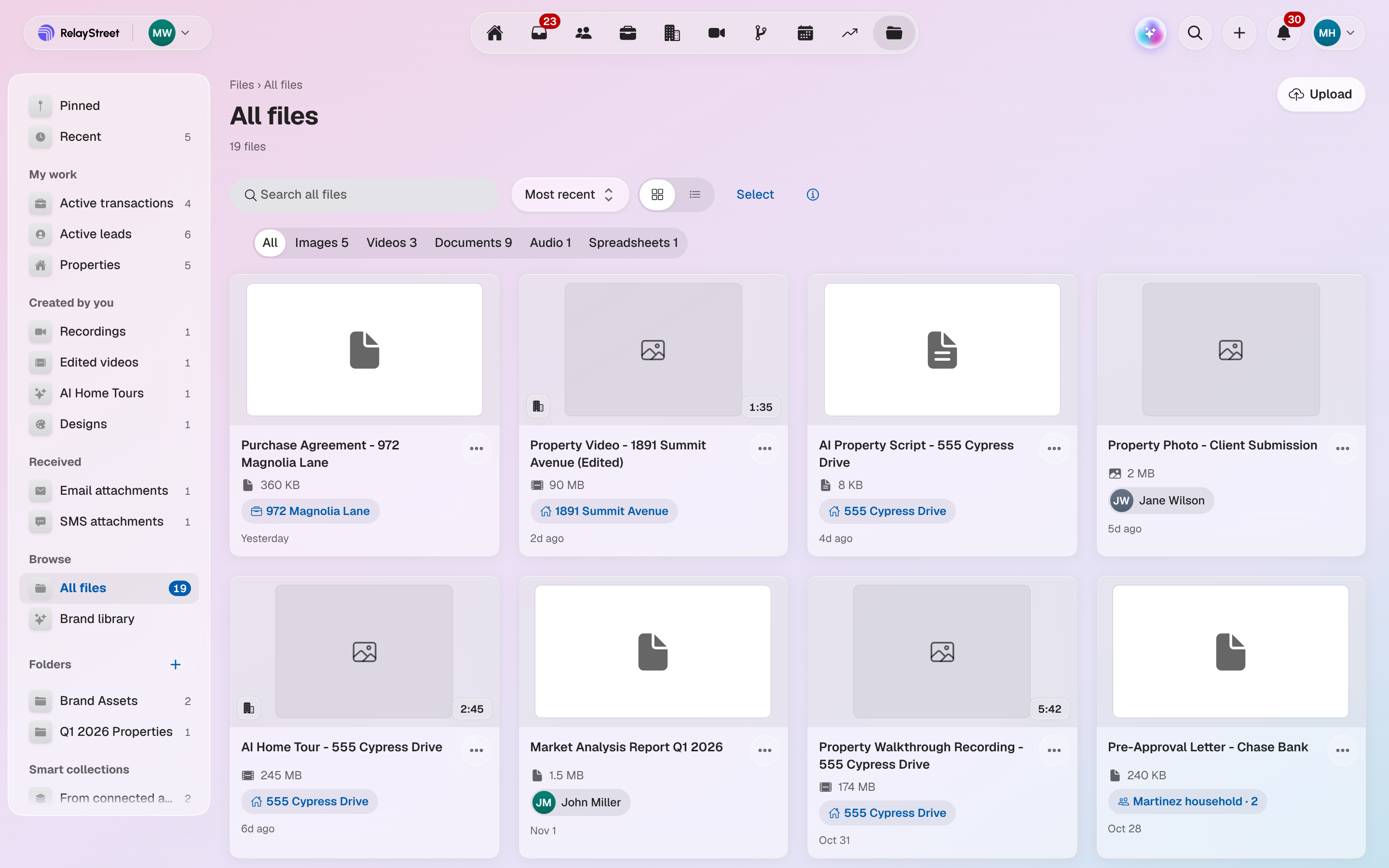
  • Pre-approvals and IDs on the contact, disclosures and inspections on the property
  • Recordings, designs, home tours and captions saved as you make them
  • Email, text and form attachments gathered under Received
  • Quick Look with the space bar, and the arrow keys through the folder
Explore Files
Files, with each document linked to the contact, property or deal it belongs to.

The rest of RelayStreet

Work your leads

Every lead, worked from one record

Contacts · Record · Inbox · Dialer · Smart Plans · Consent · On your phone

Work your leads

Market yourself

Market every property from its own record

Create · Social · Ads · Email · Design · Sites · Home tours · Leads

Market yourself

Lead your team

See who needs you, and why

Team · Speed to lead · Goals · Leaderboard · Coaching · Workflows · Routing · Roles

Lead your team

Get in early. Bring your database when you do.

Join the waitlist today. When your invite comes, import your contacts, check them first, and undo it for 30 days.