In short
- Same time every day, on the calendar, phone on Do Not Disturb for everything else.
- Build the list the night before. Know why each person is on it.
- Log the outcome before the next call, every time.
- Every connected call ends with a next step: an appointment, a task or a callback.
Put it on the calendar
Calling doesn’t happen in the gaps. Block an hour, same time each day, and treat it like a showing. Try late morning or early evening and see when your leads pick up. Keep the hour inside your leads’ legal calling hours.
Build the list the night before
In Contacts, filter to the people you mean to call, select them and choose Create calling list. A good list has a reason on every row: new this week, asked for a callback, showing last weekend, past client anniversary.
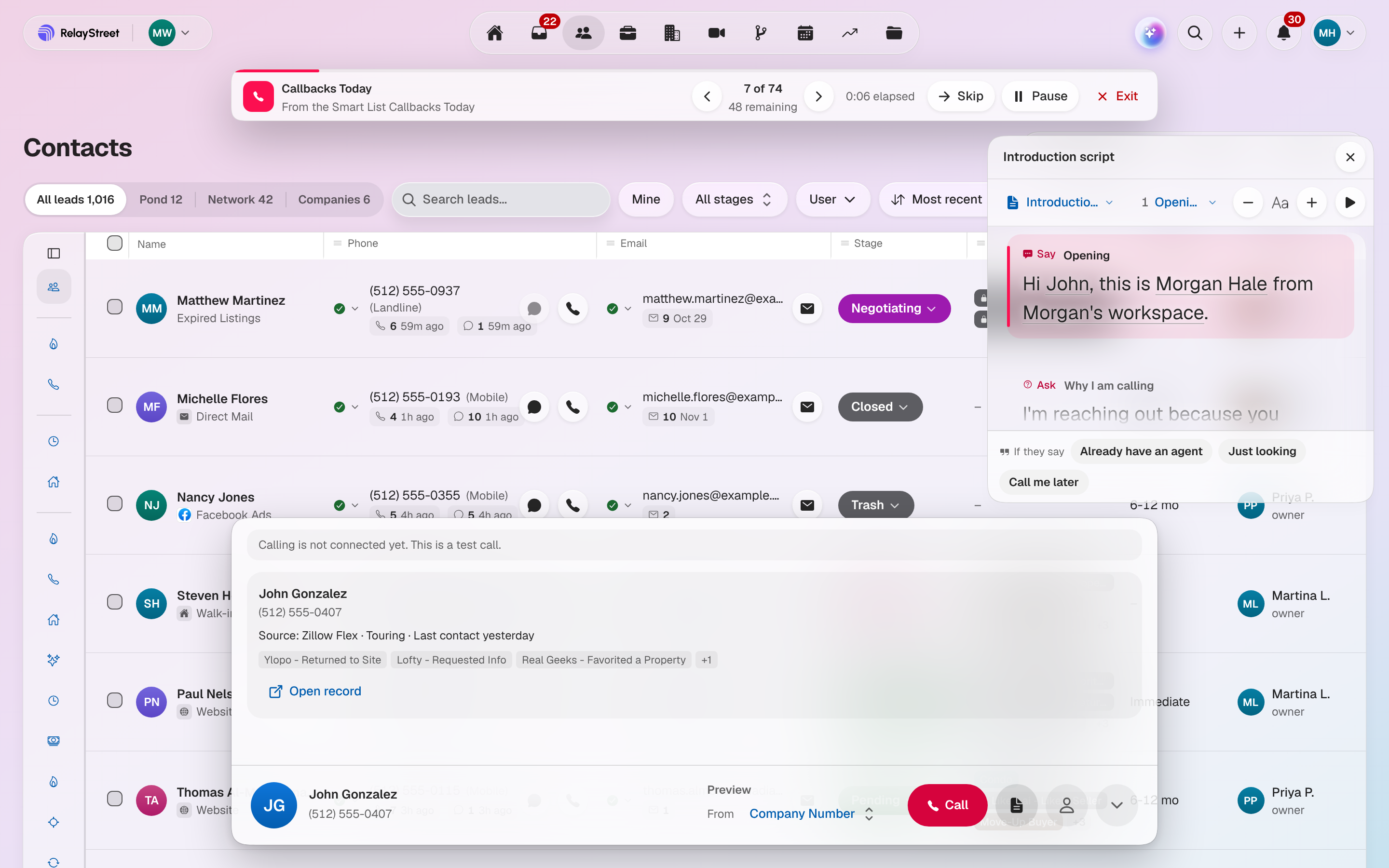
When you start the session, the app checks the list first and skips anyone on Do Not Call, with no number, or outside their calling hours. It also tells you roughly how long the list will take.
Choose Power or Preview
- Power dials the next lead for you after each call. Use it for big lists of short calls.
- Preview shows each lead first, and you press Call. Use it when you need to read the history before you dial.
Keep your script open beside the call. Team scripts are shared; My scripts are yours. Read it a few times, then talk like yourself.
Log the outcome before the next call
When the call ends, pick what happened: Connected, Left voicemail, No answer, Busy, Wrong number, Not interested, Do not call or Callback requested. On a desktop, keys 1 to 9 pick them. Then Save & next.
- Callback requested makes a “Call back” task at the time you pick.
- Do not call adds the number to your team’s list, so nobody dials it again.
- A connected call gets a next step before you move on: an appointment, a task, a text or an email.
Read the summary, then stop
At the end of the list you see calls made, connected, voicemails, talk time and your average call. Write down the one thing you’d change for tomorrow and close the dialer. An hour you finish is better than three you don’t.
Recording a call in California, Florida, Illinois or any other state where everyone must agree? Read the disclosure first. The dialer won’t record until you confirm everyone agreed.